Most online stores don’t lose sales because of bad products. They lose them because customers get confused, distracted, or frustrated while browsing the site. An extra step at checkout, an unclear CTA, or a slow mobile page can break the purchase journey. And when it happens, revenue is lost.
eCommerce experience drives revenue. Customers who rate their experience a perfect 10 spend 140% more and stay loyal up to six times longer. This is what following eCommerce UX best practices can do. Yet, many brands still treat UX as a design upgrade rather than a growth engine. Without data, decisions are inaccurate.
In this blog, we’ll look at some data-driven eCommerce user experience best practices that remove friction, guide intent, and improve conversions at every step. Let’s dive in!
What is eCommerce UX?
eCommerce UX (User Experience) refers to how users feel when interacting with your online store. It covers everything they see and do, starting from landing on your homepage to completing the checkout. If the journey is simple, quick, and clear, that’s good UX. If it feels confusing, slow, or overwhelming, that’s poor UX.
Understanding the role of UI/UX in eCommerce is important; it helps explain the difference between “This is easy” and “I’ll buy later.”
It directly affects your conversion rate, average order value, and customer retention, all key eCommerce metrics. When product pages answer actual questions, navigation is effortless, and checkout is quick; people buy with confidence. Following eCommerce user experience best practices helps remove doubt and reduce friction.
What’s Included in eCommerce UX?
eCommerce UX covers how the store works, how it feels, and how easily a shopper moves from interest to purchase. Every click, scroll, and decision point matters.
It typically includes:
Page Speed and Performance: Fast-loading pages reduce bounce rates and protect your conversion rates. Delays create doubt; speed builds trust.
Navigation and Site Structure: Clear menus and logical categories help users find products effortlessly. A good structure shortens the buying journey.
Mobile Responsiveness: Your store must work smoothly on phones and tablets. Mobile eCommerce UX best practices focus on thumb-friendly design and a fast checkout.
Accessibility Standards: Text readability, contrast, and keyboard navigation ensure everyone can use your store. Inclusive design expands your audience.
User Journey Mapping: Every button should take shoppers exactly where they expect to go. Smart flow design removes friction and supports purchase intent.
Copy and Microcopy: Product descriptions, CTAs, error messages, and checkout prompts should guide decisions. Clear words reduce hesitation.
Shopping Cart and Checkout Experience: Shopping cart UX and checkout best practices emphasize simplicity, transparency, and trust signals to reduce abandonment.
At its core, eCommerce UX is about thinking like the customer. It anticipates questions before they are asked and removes obstacles before they cause exits. When done right, it turns browsing into buying without pressure or confusion.
If you’re planning to transform your store’s UX into a high-growth sales engine, choose our B2B eCommerce development services for expert assistance.
eCommerce UX Best Practices to Follow
Managing an online store requires managing experience, operations, and growth from a single system. Strong execution across these areas protects margins and improves long-term customer value. Below are some best practices to help achieve this.
Build a User-Focused Website Structure
A clear structure is very important for an eCommerce site. If users cannot find products quickly, they will leave. Navigation should feel obvious. Categories must reflect how customers think, not how your internal team organizes inventory.
Data shows that poor navigation is one of the top reasons for high bounce rates on product listing pages. When navigation is intuitive, bounce rates drop and product discovery improves.
Organize categories based on user search behavior, not internal product codes.
Use breadcrumb trails to reduce backtracking and confusion.
Keep the search bar visible and support auto-suggestions with typo tolerance.
Limit top-level menu options to avoid cognitive overload.
Use heatmaps and analytics to track navigation drop-offs and refine structure.
ASOS is one really good example of a user-focused website. Their homepage has a clean layout. The navigation is pretty clear and helps users find what they need quickly.
Prioritize Mobile Performance
Nearly half of retail eCommerce sales now happen on mobile devices. Your layout must adapt smoothly to smaller screens. Buttons should be thumb-friendly, and checkout must be fast and distraction-free. Mobile eCommerce UX best practices are essential as they directly impact revenue.
Use responsive layouts that adapt smoothly across screen sizes.
Design thumb-friendly CTAs placed within natural reach zones.
Simplify mobile checkout with autofill and wallet integrations.
Reduce pop-ups, as over 73% of users dislike them.
Test mobile flows separately using session replays and device-based analytics.
Optimize Page Speed Aggressively
Speed is revenue. Even a one-second delay can reduce conversions by 7% and cut page views by 11%. Slow sites increase bounce rate and weaken trust. Consider page speed a revenue metric.
Compress images using modern formats like WebP without losing quality.
Minimize HTTP requests and remove unused scripts.
Implement caching and use a Content Delivery Network (CDN).
Monitor Core Web Vitals to track real user performance data.
Regularly audit third-party apps to prevent hidden speed issues.
Use High-Quality Visuals
In eCommerce, visuals replace the in-store experience. Customers cannot touch or try the product, so images and videos must be very high quality. Strong visual presentation reduces doubt and increases confidence. Data consistently shows that detailed product visuals and videos improve conversion rates and lower return rates.
Use high-resolution images with zoom functionality.
Show multiple angles and close-up details.
Add short demo videos to explain use and scale.
Include 360-degree views where product fit or design matters.
Keep file sizes optimized to maintain page speed.
Apple is the gold standard for using high-quality visuals to drive product understanding. Rather than overwhelming users with long specification lists, the Apple website follows a “Show, Don’t Tell” philosophy, relying on high-definition images and animations to explain complex technology.
Simplify Checkout and Payment Flow
Checkout is where revenue is either captured or lost. Even interested buyers abandon carts if the process feels long or confusing. Reduce steps and enable guest checkout.
Avoid forcing account creation.
Reduce form fields to only essential information. Most purchases need 6–8 fields.
Display progress indicators to show how many steps remain.
Show shipping costs and taxes early to prevent last-minute surprises.
Offer multiple payment options, including digital wallets and one-click payments.
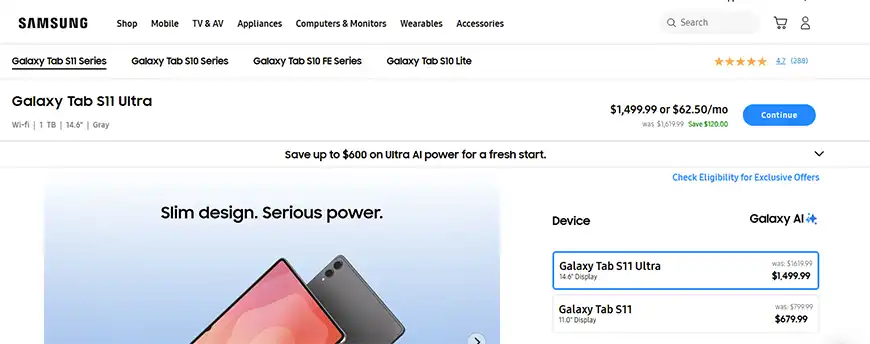
Samsung’s official website has a very simplified checkout flow. The user can easily navigate to checkout and make a payment. All charges are clearly visible, and users can choose from multiple payment options.
Strengthen Search and Filtering
Search is often the fastest way to purchase anything. When users type a query, they show high intent. If results are irrelevant or hard to refine, you lose ready buyers. Data from multiple eCommerce studies shows that users who use on-site search convert at a much higher rate than those who browse.
Enable auto-suggestions and predictive search to speed up discovery.
Support typo tolerance and synonym recognition.
Offer smart filters for price, size, ratings, and availability.
Allow sorting by popularity, newest, and best-selling items.
Track zero-result searches to identify catalog gaps or tagging issues.
Improve Inventory Management with Real-Time Tracking
Inventory errors can disrupt the buying journey and even cause buyers to lose trust in a site. Real-time inventory tracking ensures accurate product availability across all channels. It also supports smarter demand forecasting and reduces overstocking costs.
Sync inventory automatically after each sale.
Display real-time stock status on product pages.
Set low-stock alerts to prevent stockouts.
Use sales data to forecast demand trends.
Align inventory across the website, marketplaces, and physical stores.
Personalize the Experience with Behavioral Data
Personalization increases engagement and average order value. Shoppers respond more favorably to relevant recommendations than to generic promotions. Use browsing history, past purchases, and location signals to refine what users see. Personalization should feel helpful, not intrusive.
Show dynamic product recommendations on product and cart pages.
Offer tailored discounts based on browsing behavior.
Use location-based messaging for shipping timelines or offers.
Send reminder emails for abandoned carts with relevant products.
Segment users to deliver targeted homepage banners and promotions.
Build Trust with Transparent UX Elements
Trust directly impacts conversion rates. Shoppers hesitate when policies are unclear or security feels weak. The best UX eCommerce sites reduce doubt before it slows a purchase. Clear return policies, visible security badges, and honest pricing boost confidence. When users feel safe, they move through checkout faster.
Display SSL badges and secure payment icons near the checkout button.
Keep return, refund, and shipping policies easy to find.
Show delivery timelines before payment confirmation.
Highlight verified customer reviews and ratings.
Avoid hidden fees that appear at the final step.
Patagonia is a world-class example of an eCommerce site built on transparency. Their entire brand is based on trust and environmental ethics, and their website structure reflects this perfectly.
Deliver Responsive Customer Support
Customer support is also a key part of your UX. When users face friction, prompt responses protect the sale. Studies show that quick response times directly influence purchase decisions and repeat buying behavior. Responsive support builds trust and improves retention. Support insights also help guide experience improvements.
Offer live chat or chatbot support for instant queries.
Respond quickly to email and social media messages.
Use CRM systems to track conversations and history.
Publish clear FAQs to reduce repetitive questions.
Analyze support tickets to identify recurring UX issues.
Maintain Consistency Across Channels (Omnichannel UX)
Users move between devices and platforms before making a purchase. They may discover a product on social media, compare it on a desktop, and buy on mobile. Omnichannel consistency ensures the experience feels connected. Reports show that businesses that use cohesive omnichannel strategies often achieve higher customer lifetime value.
Keep branding and messaging consistent across web, email, and social media.
Sync carts and wishlists across devices.
Ensure promotions remain consistent across channels.
Align customer support information everywhere.
Map user journeys to identify gaps between platforms.
Test and Refine Continuously
The eCommerce UX is never finished. User behavior evolves, devices change, and expectations rise. Data-driven eCommerce UX best practices rely on continuous measurement and refinement. Even small improvements in the checkout flow or product layout can significantly increase conversion rates over time.
Monitor funnel analytics to detect drop-offs.
Run A/B tests on layouts, CTAs, and checkout flows.
Use heatmaps and session recordings to uncover friction.
Study customer support tickets for recurring issues.
Conduct periodic UX audits against industry standards.
Strong eCommerce management blends UX discipline with operational control. When performance, trust, inventory, and checkout work together, growth becomes predictable.
Common eCommerce UX Mistakes to Avoid
Even big brands lose sales due to minor UX errors. These mistakes are not major, but they are subtle friction points that gradually affect conversion rate, trust, and customer retention.
Overloading Users with Pop-ups and Promotions
If discount banners, exit pop-ups, spin wheels, and email offers appear simultaneously, shoppers may feel overwhelmed. Their attention gets divided. Instead of focusing on the product, users concentrate on closing the pop-ups. Good eCommerce UX practices prioritize clarity over clutter. One strong, well-placed offer performs better than five aggressive interruptions.
Ignoring Trust-Building Pages
About Us, Contact, FAQs, and Shipping and Return Policies don’t directly drive checkout clicks, but they influence buying decisions. Many shoppers review these pages before entering their card details. If this information is hidden or weak, trust drops. Popular eCommerce brands treat these pages as conversion-support tools rather than formalities.
Complicated Forms During Checkout or Sign-up
Long forms don’t work well. Every extra field increases the risk of drop-off. Only request essential information. Most transactions can be completed with 6-8 key fields. Best practices for checkout UX focus on speed, clarity, and minimal effort. The goal is to reduce friction and protect conversion rates.
Trying to be Overly Creative or “Different”
Reinventing navigation patterns, hiding the cart icon, using unusual layouts, or adding flashy animations often backfires. Shoppers expect familiar patterns. The best eCommerce sites follow proven design logic. Prioritize usability over novelty. A clean structure beats visual drama every time.
Designing for Desktop and Neglecting Mobile
A layout that looks good on a laptop may look off on a phone. Crowded buttons, slow load time, and awkward checkout flows will reduce mobile sales. Mobile eCommerce UX best practices focus on thumb-friendly navigation and simplified checkout steps. In markets like the U.S., where mobile traffic dominates, ignoring this can be expensive.
When small UX mistakes pile up, they quietly reduce revenue. Avoiding these errors strengthens trust, improves checkout completion, and creates a smoother path to purchase.
UX trends and user behavior evolve quickly. To stay updated with practical insights and real-world discussions, you can explore this Reddit thread on eCommerce design best practices:
How to Find and Fix UX Issues in an eCommerce Site
Most UX problems are not visible on the surface. Your site may look fine, yet users may still struggle. To uncover them, you need data, observation, and structured testing.
Study analytics to spot drop-offs
Start with hard data. Use tools like Google Analytics to track bounce rate, exit pages, time on page, and checkout abandonment. Look for patterns: Are users leaving at the cart? Are product pages underperforming? Analytics shows where the issue exists and gives you direction.
Use session replays to observe behavior
Session recording tools allow you to watch real user journeys. Look for pauses, repeated clicks, and backtracking. Long pauses may indicate confusion, and rapid clicking may indicate frustration. Backtracking often points to unclear navigation. These insights are critical when improving checkout and shopping cart UX best practices.
Analyze heatmaps for attention gaps
Heatmaps show where users click and how far they scroll. If key content is ignored, it may be poorly placed. If users never reach product details, the layout may lack momentum. Strong eCommerce UIs rely on visual hierarchy. Heatmaps reveal whether your hierarchy is effective.
Run usability testing with real users
Ask someone unfamiliar with your store to complete a task. For example: “Add two products and check out with a discount code.” Watch silently. Let them speak their thoughts aloud. You will quickly see where friction appears. This is one of the most practical UX best practices for eCommerce.
Conduct user interviews and gather feedback
Talk to customers and ask what confused them. Ask why they almost didn’t buy. Interviews uncover emotional barriers that analytics cannot show. This helps refine messaging, trust signals, and page clarity.
Learn from your customer support team
Support tickets are a goldmine. If users repeatedly ask about shipping costs, returns, or payment issues, your interface is not clear enough. Customer service teams often know friction points before designers do.
Consider a professional UX audit
Sometimes, internal teams miss obvious flaws. An external UX audit offers a fresh perspective. A structured review compares your site against proven eCommerce user experience best practices and identifies deeper structural issues.
Finding UX issues is not easy. You need a structured process based on data, observation, and real user feedback. By combining analytics with human insight, you move from assumptions to informed improvements that protect and enhance conversion rates.
Optimize buyer journey with a seamless, conversion-focused platform.
eCommerce growth doesn’t come from traffic only. The website needs to be clear, fast, trustworthy, and structured. When you apply data-driven eCommerce UX best practices, you remove friction from navigation, product discovery, cart flow, and checkout. These improvements boost what truly drives conversion rates, retention, and lifetime value. Fixing small UX gaps delivers measurable growth.
Effective eCommerce management links user experience with operations. Clean design, fast load time, mobile-first execution, simplified checkout, smart inventory control, and omnichannel consistency all work together. eCommerce UX needs to be deliberate, tested, and built around real customer behavior.
FAQs on eCommerce UX Best Practices
1. What are the most common eCommerce UX issues?
The biggest issues are slow page load times, confusing navigation, and complex checkout forms. Poor mobile design is another major problem. Many stores also overload users with pop-ups and unclear CTAs. These friction points reduce conversion rates and increase cart abandonment.
2. How does page load speed affect online sales?
Speed directly impacts revenue. Even a one-second delay can lower conversions and reduce page views. Slow pages increase bounce rates, especially on mobile. Fast-loading sites build trust and keep buyers moving smoothly toward checkout.
3. What factors should be considered for effective product descriptions?
Product descriptions must be clear, benefit-focused, and easy to scan. Highlight key features, real use cases, and practical details such as size, material, and compatibility. Use simple language and remove doubt. Strong descriptions support buying decisions and improve conversion without extra persuasion.