eCommerce Replatforming Checklist: Steps for Smooth Migration
Quick Summary
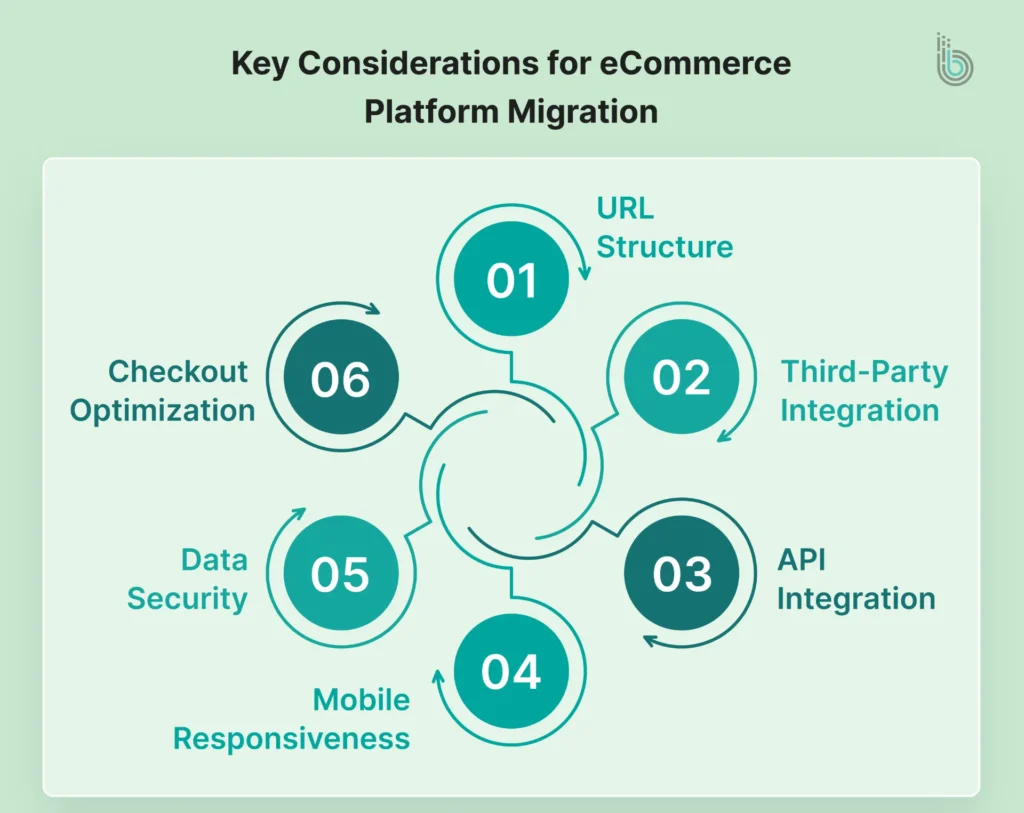
While migrating an eCommerce platform, several factors are considered. You need to take care of URL structures, third-party integrations, data migration, user experience, and much more.
Follow a systematic approach for eCommerce replatforming, from defining goals and choosing the platform to connecting payment gateways and performing final tests.
Make sure to back up existing store data to save yourself from data loss during the migration.
The world of digital commerce is constantly evolving, and brands are increasingly investing to capitalize on the latest trends. But not all of them are happy with their current eCommerce platforms. In fact, a study revealed that only 14% of eCommerce store owners are satisfied with using their eCommerce platform.
Many eCommerce businesses face this issue because they may need a better platform to handle high traffic or to offer advanced functionality that improves the customer experience. However, replatforming is a major decision that should be carefully executed.
In this blog, we will help you ensure a smooth transition between two platforms with our detailed eCommerce replatforming checklist. So, let’s dive in!
eCommerce Migration Checklist You Should Consider
eCommerce migration is a time-consuming process and involves multiple steps. There are various factors to consider when switching platforms. Even a single missed factor can lead to costly errors. To ensure a hassle-free platform migration, follow this eCommerce replatforming checklist:
All the stakeholders and team members are on the same page regarding the platform migration.
If there is any change to the URL structure, ensure all URLs are properly redirected. Also, preserve metadata, schema, and content to avoid a drop in SEO rankings.
Product and customer data were successfully gathered and transferred to the new platform.
CRM, payment gateways, and third-party tools are fully integrated and working fine.
The new platform supports responsiveness across devices, including mobile, desktop, and tablet.
The new store has passed various website performance tests, including Google PageSpeed Insights and GTmetrix. Also, check the server’s response time and downtime after the migration.
Data protection measures and compliance with regulations like GDPR and PCI-DSS are maintained.
Analytics tools like GA4 and custom reports are configured properly.
This checklist will help you effectively plan the eCommerce website replatforming and ensure the best results.
If the checklist feels overwhelming, it’s best to rely on professionals. You can partner with an eCommerce website migration service provider and focus on what matters the most: your business. Agencies handle all the tasks from planning to execution and testing.
12 Essential Steps for eCommerce Replatforming
Once you have decided to move to a new platform, there are numerous things to consider. Apart from the above checklist, here is a step-by-step replatforming process you should follow:
1. Define Goals & Strategy
Your eCommerce platform plays a huge role in your business’s success, so take your time when deciding. Think about what you want to achieve with a platform change and your next steps after the eCommerce platform migration.
Conduct a detailed audit of your existing platform to analyze features, performance, and user experience. Then check competitors’ websites to identify areas for improvement.
2. Assemble the Team
The next step is to align every department of the company with the platform switch. Every team, from leadership to operations and marketing, should be involved in the planning. This will help set clear expectations for each team and delegate accountability.
You can consider assigning responsibilities to different teams this way:
IT/Network Infrastructure: Ensure the platform is scalable and can be integrated with existing systems and tools.
Sales: Check if the potential platform offers real-time data visibility and conversion-focused features like one-page checkout, personalized search, etc.
Marketing: See if the new platform aligns with the brand’s current SEO processes and workflows.
Customer Service: Identify customer pain points and suggest enhancements or define entirely new customer journeys.
Operations: Evaluate inventory management features such as multi-channel stock synchronization, multi-warehouse support, and product variant management.
3. Choose the Platform
Now that you have a goal for migrating your eCommerce platform, start researching available options. There are multiple eCommerce platforms in the market. Each platform has its own strengths and weaknesses, so assess them all before selecting one.
Compare each platform’s specifications, features, and pricing to find the best option. If you still feel confused, hire an eCommerce consulting services to get assistance with platform selection and a migration plan.
4. Audit the Current Platform
Start the migration process by auditing your current store and platform. Check if there are any legacy scripts used or issues in workflows. Write down all the points and build the migration roadmap accordingly.
5. Determine the Migration Approach
Once you are done with the audit, decide how you will migrate the store. Either you can hire in-house resources or outsource the project to an agency. Here’s what you should consider:
In-house Team: It’s a good option for large businesses with strong IT teams and established SOPs. It will offer you complete control over the migration process.
Work with an Agency: It’s best for businesses without technical expertise. This will help you ensure a worry-free replatforming as the agency brings years of experience and a diverse skill set.
6. Backup Existing Data
Before migrating the data, take a backup for safety. In the event of a migration mishap, you can restore the data to keep your online store running.
7. Design and Develop the New Store
It’s time to get into the coding part. Prepare the website design, layout, and backend logic. This way, you can load your store data directly into the new design.
When determining the design and structure of your frontend, it is important to follow eCommerce UI/UX best practices. It will help you grab and hold users’ attention.
8. Migrate the Data
Now comes the main task: migrating store data. This step needs careful review, as even a small error can cost you a lot.
For data migration, you have two options: doing it manually or using a migration tool. If you have data organized in different sets, then a tool can help you finish the task quickly.
9. Connect Payment Gateway
After migrating the store data, it’s time to integrate payment gateways in your store. Choose different payment processing vendors to offer customers a variety of options.
Also, consider optimizing your store’s checkout experience. A well-thought-out checkout flow can help you achieve higher conversion rates and greater customer satisfaction. According to a study, eCommerce businesses can see a 30%+ increase in conversion rates through a better checkout design.
10. Conduct an SEO Audit
Before you hit the launch button, it’s recommended to perform an SEO audit of the new website. Review the 301 redirection mapping, URL structure consistency, changes in the XML sitemap and robots.txt file, and schema markup.
11. Perform a Final Test
Run an extensive quality assurance test of the new store. Test different functionalities and check for any issues. You should also test by placing some sample orders.
12. Launch the Store
Now, publish your new site and test everything once again. Ensure everything is running optimally and that users are not experiencing any issues.
Wrap It Up
Keeping your store up to date with the latest eCommerce trends is essential. With eCommerce replatforming, you are not just switching platforms; you are also ensuring your business stays future-proof.
Make sure to follow the migration checklist and process given in this blog. It will help you ensure smooth data migration and a functional, modern store ready to revolutionize your business industry.
If you need expert help with eCommerce replatforming, we can help. Our team excels at migrating eCommerce stores to Shopify, WooCommerce, Salesforce, and Magento. No matter your business needs, we can help you execute the replatforming project smoothly.
FAQs
1. How long does an eCommerce replatform project take?
The duration of an eCommerce replatform project can vary based on platform complexity and the level of customization required. Usually, it takes 3 to 6 months for a mid-size business. An enterprise-grade project can take 6 to 18 months.
2. Which eCommerce solutions maintain app and plugin compatibility during migration?
eCommerce platforms with large communities and ecosystems will help you maintain app and plugin compatibility during migration. Platforms like Shopify and WooCommerce will offer you similar or equivalent functionality in their app stores.
3. What are the top tools for seamless eCommerce replatforming?
There are dedicated data migration tools available to help you ensure seamless eCommerce replatforming. Cart2Cart, LitExtension, and Next-Cart are some of the top data migration tools.