Popups have a bad reputation. Visitors dislike them, and browsers often block them. Yet, they still work!
The reason is that popups solve real problems. They grow email lists, recover abandoned carts, promote limited-time offers, and help announce important updates.
In 2026, popups are still one of the most effective conversion tools available. A poorly timed popup annoys visitors. Whereas a well-implemented one captures leads and boosts sales. Successful eCommerce stores use them strategically; that’s why they win.
This article covers how to install the right Shopify popup. Further, it explains and explores what popups are, why they work, how to set them up, and which apps to use. Most importantly, you will learn how to add popups that grow your business without annoying customers. Here we go!
What Is a Shopify Popup?
A Shopify popup is a dialog box that appears on the store content. It overlays on the page to hook the user’s attention.
Technically, popups work through JavaScript. When a customer triggers an event like scrolling, clicking, or leaving the page, the popup displays. This occurs without redirecting visitors or interrupting their shopping flow.
Popups can be used in Shopify stores for specific purposes, such as:
Email capture: Build a subscriber list with welcome offers.
Offer promotion: Announce discounts, sales, or limited-time deals.
Cart recovery: Prevent customers from leaving without making a purchase.
Announcements: Share store news, shipping updates, or important messages.
Lead collection: Gather contact information through forms.
Feedback: Ask customers about their experience.
Popups aren’t new. But in 2026, the best ones are smarter. They use better targeting, respect user experience, and deliver great results.
Benefits of Using Popups on Shopify
As mentioned earlier, Shopify popups can be used to serve a clear purpose. They are mostly used to:
Grow Email & SMS Lists: Email is considered the highest-ROI marketing channel. Popups automate email list building. A welcome offer popup can convert 2-5% of traffic into subscribers. That means thousands of potential customers monthly.
Reduce Cart Abandonment: Almost 70% of shopping carts are abandoned. An exit intent popup can capture visitors as they leave. Offering a discount or free shipping can help recover sales.
Promote Offers & Announcements: Limited-time discounts create urgency, and new product launches need that visibility. Popups guarantees that your messages reach your audience at the right moment.
Improve Conversion Rates: Popups guide visitors to take action. Be it signing up, applying a discount, or starting checkout, popups drive conversions. A/B testing also shows conversion improvements of 10-30%.
Collect Valuable Feedback: Want to know why visitors do not buy? Ask them. Popups collect surveys and feedback without messing with the shopping experience.
These benefits compound over time. Email subscribers spend 3-5 times more than casual visitors, and higher conversion rates mean more profit. Better feedback from Shopify popups helps you improve your store.
“8% to 11% is the average Shopify popup CTR. In fact, even good email popups can alone convert 2-5%.”
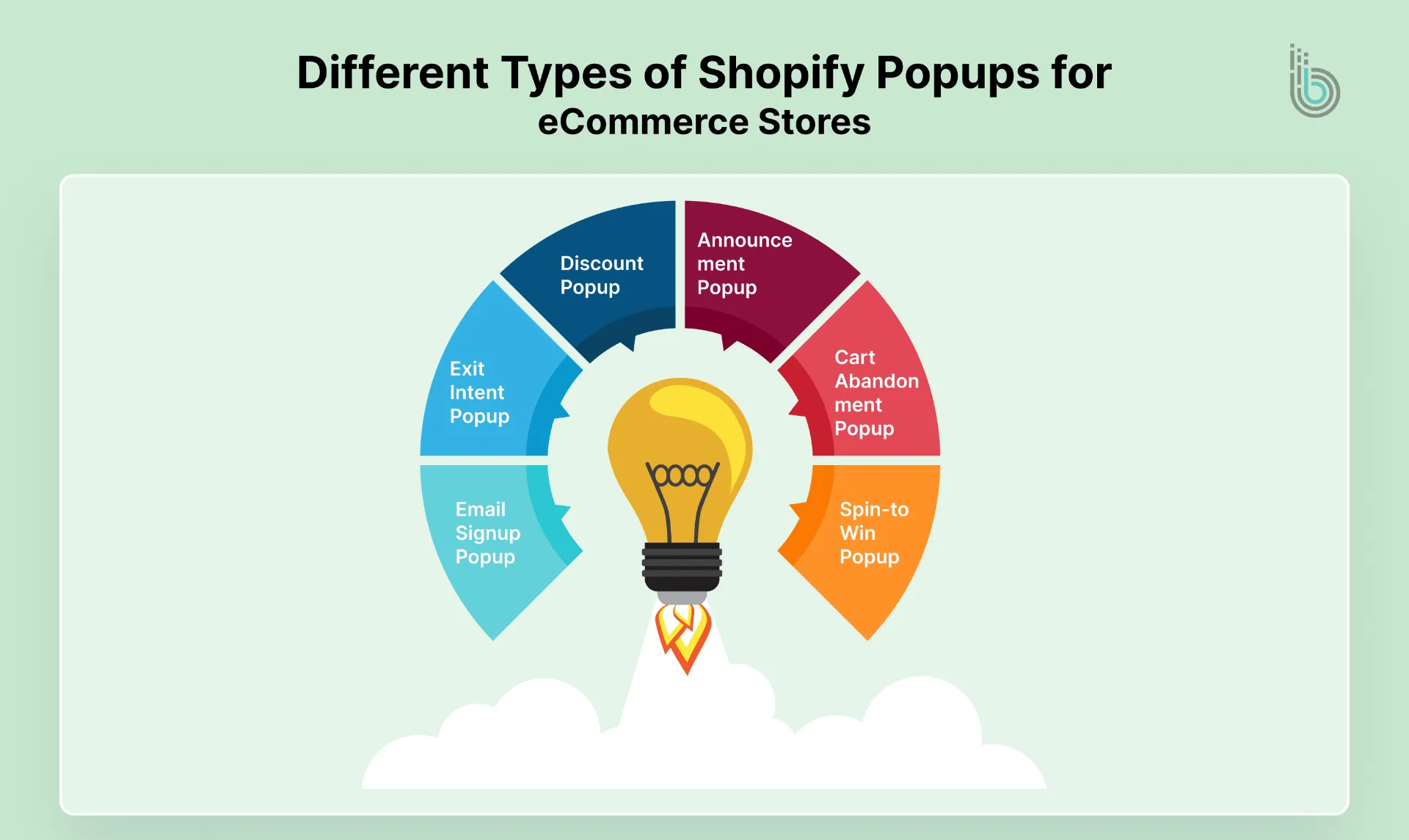
Different Types of Shopify Popups for eCommerce Stores
Shopify popups serve different goals. Choose the right type for your objective:
1. Email Signup Popup
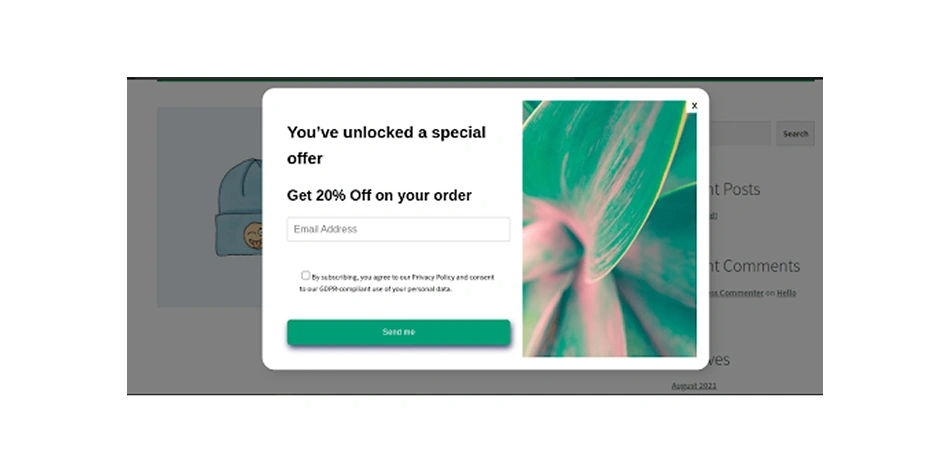
This is the most common type. It offers incentives like a discount code, free shipping, or exclusive content in exchange for an email address.
Best for: growing your list.
2. Exit-Intent Popup
This triggers when visitors move their mouse toward the back button or browser tab. It is the last chance to keep them engaged. Offer a discount, ask for feedback, or promote a popular product.
Best for: recovering abandoned visitors.
3. Discount or Coupon Popup
It is a dedicated popup to display promotional codes. This works well for seasonal sales, clearance events, or flash deals.
Best for: pushing quick promotions.
4. Announcement Popup
Use this to share important news. Be it a new store opening, a major product launch, or a shipping delay, announcement popups ensure everyone sees your message.
Best for: urgent communication.
5. Cart Abandonment Popup
This appears after visitors add items but do not make a purchase. It offers help, answering questions, showing shipping options, or providing discounts.
Best for: rescuing almost-completed sales.
6. Spin-to-Win or Gamified Popup
A fun, interactive popup where visitors spin a wheel to win discounts or prizes. It surges engagement and feels less annoying (because of gamification) than other popups.
Best for: viral marketing and high engagement.
Each type has strengths. The right choice depends on the stage, goals, and audience of your Shopify store.
When Should You Use a Shopify Popup? (And When Not To)
Popup timing is very important. The wrong timing disrupts the user experience.
1. Good timing
After 30-45 seconds on the page: So visitors know about your store.
On exit intent: This is your last chance to win back the user.
After viewing 3+ pages: Can have a dedicated Shopify popup for an engaged visitor.
On specific product pages: Present targeted offers and promotions for those items.
On returning visitors: As they already know you, targeting them again is logical.
2. Bad timing
Immediately on page load: This is too aggressive and the root cause of bounce back.
Every few seconds: This should not be practiced as it is annoying.
On mobile: Intrusive and blocks a lot of content.
On checkout pages: You can have snippets, but a popup ruins the buying experience.
For returning customers who have subscribed: Proper IP/user tracking prevents this.
3. Page targeting
Do not show cart recovery popups on your homepage, and do not show email signup popups on the thank-you page.
4. Device targeting
Desktop visitors tolerate popups better, but mobile users get frustrated quickly. Either avoid popups on mobile or use smaller, less intrusive designs.
5. Frequency capping
This protects the user experience. Show each visitor a popup once per session, or limit it to once every 30 days, to avoid spam.
Good popups respect the visitors and solve problems at the right moment.
Additionally, pairing this with the Shopify chat app can increase engagement.
How to Add a Popup on Shopify? (Step-by-Step)
There are two ways to add popups to Shopify. The app method is easier, and the manual method gives more control.
Method 1: Using a Shopify Popup App (Recommended)
This method takes 10 minutes, and most store owners use apps.
Step 1: Choose an app.
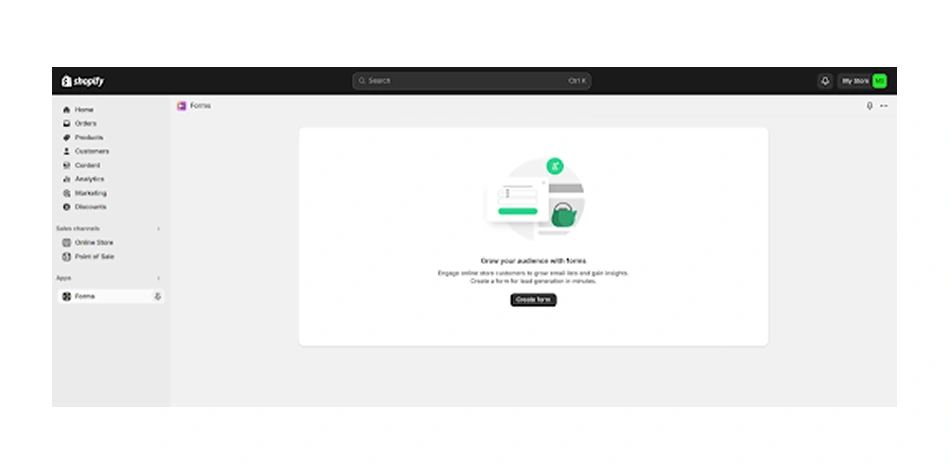
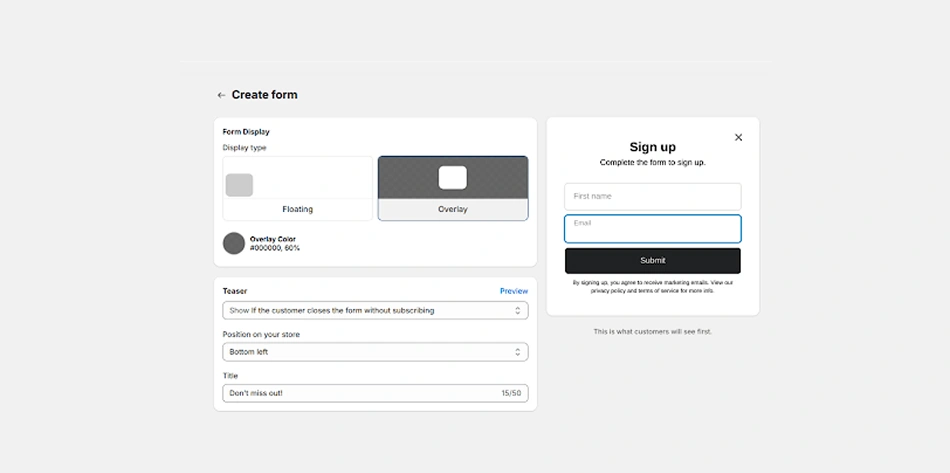
Popular options are Omnisend, Wisepops, Privy, Retainful, and Klaviyo. We will compare them later. For now, you can use the Forms app.
Step 2: Install from the Shopify App Store.
Search for the Forms app.
Click on Add app.
Authorize the connection (It takes 30 seconds).
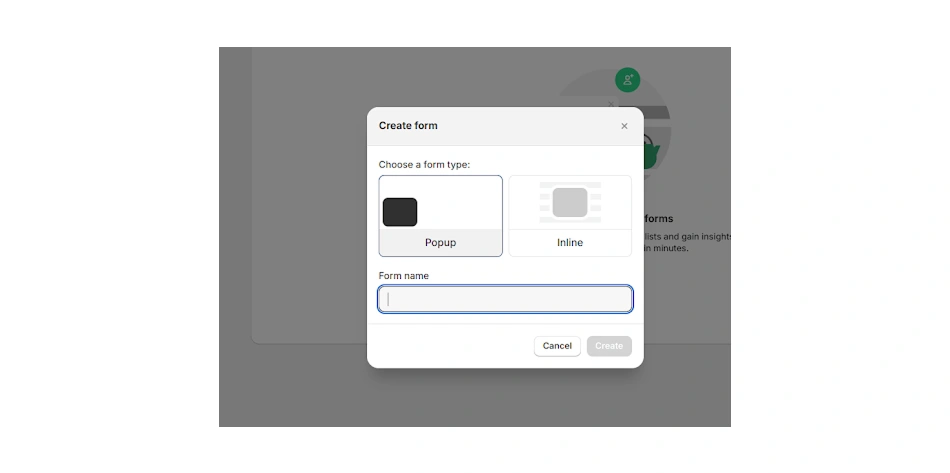
Step 3: Select your popup type.
Log in to the app and choose which popup template you want.
Most apps offer 10+ pre-built templates for email signup, discount codes, announcements, and more.
Step 4: Customize design and copy.
Change colors to match your brand.
Write the headline and button text.
Decide what incentive to offer (discount code, free shipping, etc.).
Add your logo if you want.
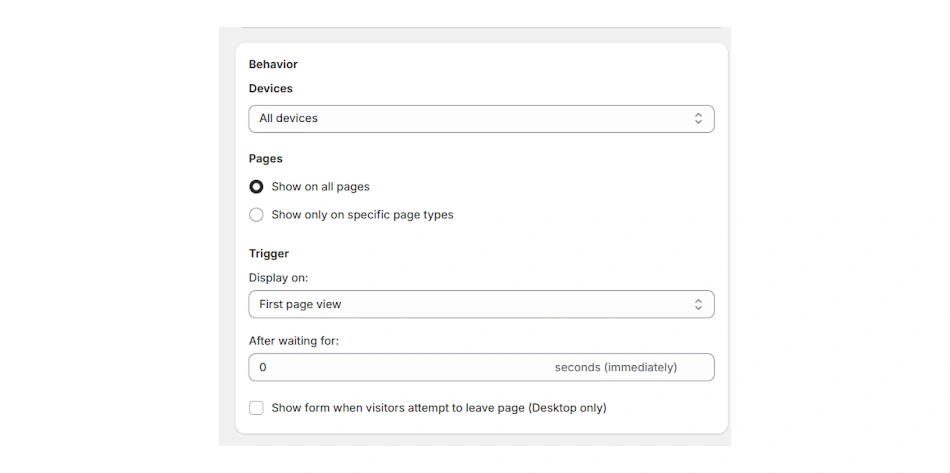
Step 5: Set targeting rules.
Define when the popup appears.
Specify pages, devices, visitor type (new or returning), and scroll depth.
Step 6: Preview and publish.
Preview the popup on your store.
Check how it looks on mobile and desktop.
Make sure the close button works.
Click Publish when ready.
Method 2: Add the Shopify Popup Without an App (Manual)
Advanced users can build custom popups using code. Use this only if you are comfortable with code or have developer help.
Steps to follow:
Access your Shopify theme editor: Shopify’s native Forms app provides basic popup functionality. You can also write custom JavaScript and inject it through your theme settings.
Edit your theme’s HTML/CSS/JavaScript files: Access your Shopify admin, go to Online Store > Theme, then edit the code. Find your theme.liquid file under <body> tag.
Add custom HTML elements: To create the popup structure and functionality using CSS styles.
Create a JS file and test the popup: You can control how the popup appears and test it manually by triggering it on the website.
Pros:
Gives you complete control.
No recurring app fees.
Can customize exactly as needed.
Cons:
Requires coding knowledge.
Updates need manual work.
Troubleshooting is harder.
Breaking your code breaks your popup.
For most store owners, apps are the smarter choice. They save time and reduce technical risk.
💡Pro Tip: Offer clear value (discounts/content) with strong CTAs, and avoid asking for too much info or slowing down your site. The key is balancing lead capture with a great user experience, making popups an asset, not a barrier.
Best Shopify Popup Apps: Feature Comparison
Here is what you need to know about the top options:
App
Pricing
Ease of Use
Email Integration
Targeting
Best For
Omnisend
Free + $10/month
Very Easy
Native + Zapier
Advanced (time, scroll, intent)
Complete marketing automation
Wisepops
Free + $24/month
Very Easy
Native + API
Advanced (A/B testing, targeting)
High conversion focus
Privy
Free + $24/month
Easy
Native + Integrations
Good (basic to advanced)
Budget-friendly option
Klaviyo Forms
Free + $20/month
Moderate
Native (Klaviyo required)
Good
Email-first strategies
Retainful
Free + $19/month
Easy
Native + Integration
Good
Cart recovery specialist
Omnisend: This one is best overall. It is great for stores that want everything on one platform. It also combines email, SMS, popups, and comes with a simple builder + powerful automations.
Wisepops: Best for conversions. Advanced targeting and A/B testing are built in. It has a higher setup learning curve, but results are stronger, and it has a good analytics dashboard.
Privy: This one is the best budget option. The free version handles basic popups, and it is good for new stores testing popups.
Klaviyo Forms: Best if you use Klaviyo email. It has strong automation possibilities, but requires a Klaviyo subscription.
Retainful: Known for its cart recovery. This specializes in abandoned cart emails and popups. It has solid targeting rules, and it is good for stores focused on cart abandonment.
Pick based on what you need most. If you do not have email software yet, choose Omnisend or Wisepops. If you have email marketing tools, check if they have native popup features first. Hire Shopify developers to get more out of your online store.
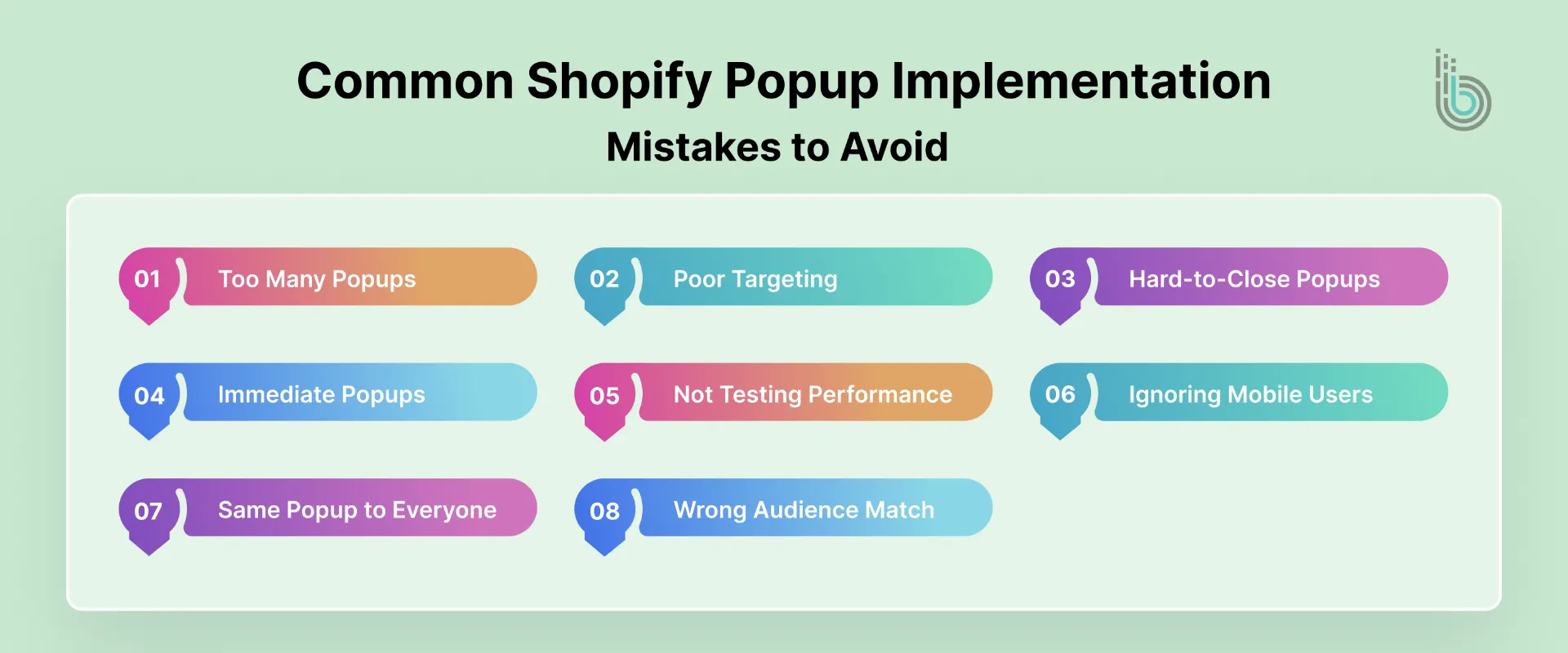
Common Shopify Popup Implementation Mistakes to Avoid
Small errors kill your popup performance. Here are some very common errors that Shopify stores make:
Too many popups: Showing 3+ popups per session frustrates visitors. People will leave before buying, so limit to one popup per session.
Poor targeting: Showing email signup popups to already-subscribed visitors is annoying. Targeting everyone, not just engaged visitors wastes your popup potential, so use smart rules.
Hard-to-close popups: If visitors cannot find the close button, they close the browser tab. Always place the close button prominently and make it obvious.
Showing popups immediately on landing: Visitors need 30+ seconds to understand your store. Popup too early, and they haven’t decided if they are interested, so it is better to wait.
Not testing performance: Popups affect conversions. You might assume your copy works, but A/B testing performance, headlines, offers, and timing is necessary.
Ignoring mobile users: Half your traffic is mobile. If your popup ruins mobile UX, you lose customers, so mobile-first design is mandatory.
Showing the same popup to everyone: Returning customers do not need welcome popups. Segment your audience and show the right message to the right person.
Wrong audience match: Showing Summer Sale 40% Off in December looks abandoned. Timing your popups is important. Update seasonal messaging and remove old offers fast.
Final Thoughts: Are Shopify Popups Worth It in 2026?
The short answer is yes, if done right.
Popups have evolved now. Earlier popups were intrusive and annoying, but now, they are adaptive and smart. You can use timing, targeting, and maximum personalization to make them work for conversions. Successful store owners with popups follow these principles:
One focused goal per popup
Smart timing, not immediate interruption
Respectful of user experience
Optimized through testing
Integrated with email strategy
But it is important to keep in mind that Shopify popups aren’t your only tool. They work best alongside email marketing, content, and other strategies.
The investment is small, but the upside is proven. The only question is – what type of popup will grow your specific store?
FAQs
Q1. Can I use multiple Shopify popup apps at once?
Yes, but it is not recommended. Multiple apps create conflicts, slower load times, and a confusing user experience. Choose one app and master it.
Q2. How should I show popups?
Once per session, maximum. Different popups can be shown to different people, but the frequency cap should be at one per visitor per week. Too many popups drive people away.
Q3. Do popups affect SEO?
Not if you follow the Google interstitial guidelines. Avoid full-screen popups on mobile that immediately hide content. The close button must be obvious, and if done correctly, popups do not impact rankings.
Q4. Can I use popups on mobile?
Yes. Mobile popups should fit without scrolling and should be small. Use single-field forms instead of long forms and test on real phones.
Q5. Can I track Shopify popup performance?
Most apps provide conversion data. You can layer in Google Analytics or connect your popup app to your email platform for revenue tracking. In this way, you can see the full impact.
Q6. Which is the best popup type to start with?
An email capture popup with a discount code is good for beginners. It is simple, proven, and easy to test. Once this works, you can gradually add other types.