Figma Vs Adobe XD: Which One to Choose for UX Designing?
Quick Summary
Figma and Adobe XD are two of the most popular design and prototyping tools in the market.
When choosing between the two tools, confusion usually happens. Figma is best suited for browser-based work, while Adobe XD is ideal for offline use.
Figma stands out for its real-time collaboration features and extensive plugin library. Adobe XD is preferred for seamless integration with the Adobe suite.
Explore how they compare with each other. Check for differences in features, pricing, plugins, styles, and user experience.
Figma and Adobe XD are two dominant tools for UX design. Both have their own pros and cons. Now, you might think which one is better? Well, we are here to answer that. In this blog, we will provide a detailed comparison of Figma vs Adobe XD, with insights from our UX experts. So, let’s get started!
What is Figma?
Figma is a design and prototyping tool used primarily for UI and UX design of web and mobile apps. It’s currently the most popular tool for designers, with a 90% market share. The reason behind this staggering popularity is innovation and user-friendly modules.
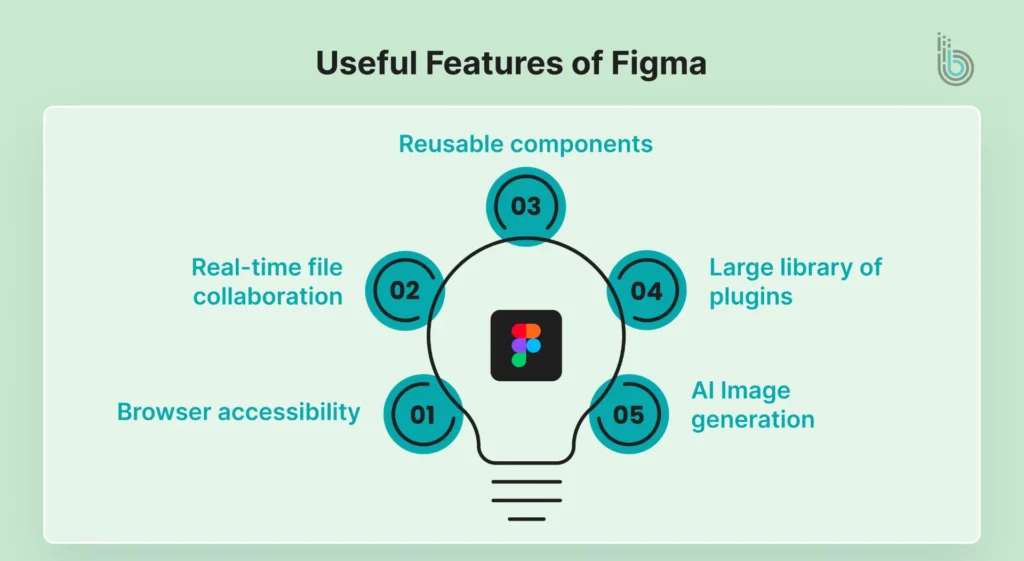
Here are some of the most useful features of Figma:
Browser accessibility
Real-time file collaboration
Reusable components
Large library of plugins
AI Image generation
Pros:
It’s easy to use and navigate.
It’s browser-based, so no need for specific hardware or software.
Real-time collaboration features help teams stay on the same page.
Cons:
Offline editing capabilities are limited.
There might be performance issues when handling large-scale projects.
Some advanced features have a steep learning curve.
What is Adobe XD?
Adobe XD is a well-known vector-based tool used for designing and prototyping. It’s part of the Adobe Creative Cloud and offers seamless integration with its suite of applications, such as Photoshop and Illustrator. While Figma focuses on collaboration and ease of use, Adobe XD focuses on performance.
The following are some highlighted features of Adobe XD:
Drag-and-drop interactions
Responsive resize
3D transformation
Robust plugin ecosystem
Interactive overlays
Pros:
It easily connects with other Adobe Suite applications.
It works exceptionally well in offline editing.
You can use the mobile app to edit and access files from anywhere.
Cons:
It doesn’t fully support real-time collaboration.
The desktop application requires constant updates.
Important Note: In September 2022, Adobe announced plans to acquire Figma. However, in December 2023, they terminated the deal due to regulatory constraints. In May 2023, Adobe placed XD in maintenance mode, meaning it will no longer receive any new features or major updates. From then on, multiple users have been discussing the future of designing and comparing Figma with Adobe XD. You can find one such Reddit discussion here.
Before getting into the in-depth comparison of both tools, let’s take a quick look at the key differences between Figma and Adobe XD:
Feature
Figma
Adobe XD
Platform
Browser, Desktop App, Mobile App
Desktop App, Mobile App
Compatible OS
Windows, macOS, Linux
Windows, macOS
Offline Access
Offers limited functionalities in offline mode
Works well offline
Prototyping Features
Interactive elements, transitions
Interactive wiring, auto-animate
UI/UX Features
Layout grids, Built-in version control
Repeat grid, content-aware layout
Pricing
Free plan available, paid plans start at $5/month for a Collab seat
Free trial is available, paid plans of Creative Cloud subscription start at $105/month
Figma Vs Adobe XD: A Detailed Comparison
Choosing between Figma and Adobe XD is a significant decision. You need something that fits your budget, workflow, and performance requirements. So, let’s break down the main differences:
1. Collaboration
Collaboration features help designers and developers work together and stay on the same page. When evaluating adobe vs figma, you’ll find the top features both platforms offer:
Figma: Figma is unparalleled when it comes to collaboration. It offers advanced real-time syncing options, similar to Google Workspace. So you will know who has access to the file, what has been changed, and leave comments.
Adobe XD: Adobe’s co-editing features allow your team to work on a project saved on the cloud. Additionally, all projects are supported on both Windows and macOS, making collaboration easier.
Verdict: Figma is the best design tool for collaboration between multiple designers and teams.
2. User Experience
The tool’s user experience matters. It directly affects the designing team’s productivity and output. Let’s see how both platforms compare:
Figma: It offers an intuitive user interface. On the homepage, you will find clear navigation to access various features. The top toolbar provides tools for creating shapes and frames, the left sidebar manages hierarchy and pages, and the right sidebar contains design and prototype options.
Adobe XD: It does not have a homepage; you go directly to the work canvas. The left sidebar will help you create new files and manage existing ones. In the artboard, you will find shapes, document assets, and more on the left sidebar.
Verdict: Figma uses a visual hierarchy to help users navigate the platform more easily. So, it’s easy to use and manage files.
3. Responsive Design
Designs need to look good on a tiny phone screen and a huge desktop monitor. Here is how each design tool handles that challenge:
Figma: Figma’s Auto Layout feature helps you create responsive frames that adapt their size and padding based on the content length.
Adobe XD: Adobe offers a Responsive Resize feature, which is automatically applied to the components. It uses AI to guess how elements should move when you resize the artboard.
Verdict: Figma wins here. Auto Layout gives you precise control over how your design responds to different screen sizes.
4. Typography and Styles
Consistency is crucial in design. You don’t want to search for the exact color shade every time you make a button. Here’s how both tools differ:
Figma: In Figma, you can save text properties (like font, size, and color) as Text Styles. You can also save colors, effects, and grid layouts as styles. Once you save a style, you can apply it anywhere in your design. If you update the style later, every single instance of that style updates automatically. It is a huge time saver.
Adobe XD: Adobe XD works very similarly. You can save text properties as Character Styles and colors as assets. Changes to these assets will update across your design, just like in Figma.
Verdict: There is a tie! Both tools handle styles excellently, ensuring your designs stay consistent.
5. Plugins and Extensions
Sometimes, built-in tools might not be sufficient to perform a task, requiring third-party tools or extensions to fill the gap. When comparing adobe vs figma, there are notable differences in plugin availability:
Figma: Figma has a large developer community. There is a plugin for almost anything: adding dummy text, checking accessibility, or creating complex animations. You can even build your own plugin if you have coding knowledge.
Adobe XD: Adobe XD also supports plugins developed by the Adobe community. You can find tools for content generation and design checks. Like Figma, you can build your own plugins. However, the library of available plugins for XD is currently smaller than Figma’s.
Verdict: Figma currently has a larger and more diverse plugin library, giving it an edge for custom workflows.
6. Pricing
Cost is the most important factor to manage. It will directly impact your budget, so comparing the paid plans of both tools becomes essential.
Figma: It offers a free plan with limited features. Paid plans start from $5 per month with access to FigJam and Figma Slides.
Adobe XD: It’s no longer available as a standalone subscription product. You can get access with a subscription to Adobe Creative Cloud Pro, which starts at $70 per month.
Verdict: As Adobe XD is not available as an individual product, Figma gets an edge here. It’s a cost-effective option for startups and SMEs.
Both Figma and Adobe XD are excellent tools for UI/UX designing. No matter which tool you use, you should prioritize clarity and accessibility. And if you need professional help in implementing standard design principles into your website design, choose our eCommerce website design services. Our experts design eCommerce stores with smart navigation and a reliable checkout experience.
Figma or Adobe XD: Which One Should You Choose?
Figma and Adobe XD offer great features for designing and prototyping. When making a clear choice among them, it depends on your needs and current workflow. Here’s how you can choose a suitable option:
Choose Figma When
Figma is the go-to choice for modern design teams, especially those working remotely. Here is why it might be the perfect fit for you:
Real-Time Collaboration is Critical: If you work with a team that needs to work together at the same time, Figma is unmatched. You can see your teammate’s cursor move, make changes together instantly, and leave comments right on the design.
You Need a Browser-Based Solution: Figma lives in the cloud. This means you don’t need an advanced computer system to run it. You can log in from any computer: Mac, Windows, or Linux, just by opening a web browser. It is incredibly flexible and platform-agnostic.
You Value Community and Plugins: Figma has a huge, active community. This means there is a massive library of plugins and integrations available. Whether you need help with accessibility, animations, or data entry, there is likely a plugin for it.
Choose Adobe XD When
Adobe XD is a strong competitor, especially if you are already familiar with Adobe products. Here is when you should pick XD:
You Are an Adobe Creative Cloud User: If you already pay for Photoshop, Illustrator, or Premiere Pro, Adobe XD fits right into your life. You can easily import assets and use Creative Cloud Libraries. It feels familiar if you are used to the Adobe interface.
You prefer to Work Offline: While Figma can work offline with limited features, it is primarily an online tool. Adobe XD is desktop software, meaning it runs locally on your machine. If you often travel or work in areas with spotty internet, XD provides a reliable offline experience.
You Need Advanced Animations and Voice Interactions: If your prototypes need to be high-tech, XD has the edge. It offers advanced features like voice prototyping (speech commands) and 3D transforms. If you need to show off complex interactions or depth in your designs, XD handles this beautifully.
Final Thoughts
In the Figma vs Adobe XD comparison, Figma stands out as a preferred tool for most designers (at least as of now!). It’s due to its extensive feature set, cost-effectiveness, and ease of access. Another reason for its win and popularity is that XD has been in maintenance mode for the past few years. It’s the only stable option available to designers.
Adobe might come up with new features of XD or introduce a new tool instead in the near future. But until then, Figma will lead the market.
Choosing the right design tool is just the beginning. Partnering with an expert eCommerce website design company from India ensures your designs translate into high-performing, scalable storefronts.
FAQs
Q1. Which tool should I use: Figma or Adobe XD?
Figma is generally a better choice if you need modern design features and ease of access. However, Adobe XD is also a good choice if you are already using the Adobe ecosystem and need seamless integration.
Q2. I am already using XD. Should I switch to Figma?
You should consider switching to Figma for its collaborative features and cloud-based workflow. Just remember: the shift might be easy, but you need to learn a few terms and workflows to adapt to the new tool.
Q3. Which tool should I use if I am a one-man design and dev team?
If you are a one-man design and dev team, you should learn Figma due to its collaborative features and responsive frames.