Magento Performance Optimization: Tips to Speed Up Your Store
Quick Summary
In an era of shrinking human attention spans, your Magento store’s user experience will heavily impact your conversion rates.
To optimize your Magento store for performance and UX, consider strategies such as hosting upgrades, caching, CDN, image optimization, and database optimization.
In addition to optimization techniques, you must conduct regular audits and keep your store up to date to ensure smooth operations.
User experience is the heart of any eCommerce business. If it gets compromised, you will instantly see the impact. Quick loading speeds are a key element of outstanding user experience. A study found that more than 70% of customers abandoned their shopping carts due to slow page load times.
Over time, as your business grows, you need to upgrade your store’s shopping functionalities and even develop new features. These can significantly affect loading speed. And if you are using Magento (now Adobe Commerce), you are likely to face performance issues due to Magento’s complex nature and legacy architecture.
In many cases, these performance challenges are not just tied to configuration or optimization but also to how outdated the current setup is, which is why evaluating when and how to move to a more stable version becomes an important consideration, as discussed in our Magento 2 upgrade planning guide.
But you don’t need to worry. There are several hacks to optimize your Magento store for performance and drive higher conversions. In this blog, we will cover Magento performance optimization tips and explain why it is important to optimize your store.
Why Does Magento Performance Matter?
Focusing on your store’s eCommerce experience is more important than ever. Human attention spans are shrinking, so you need a strong hook to keep users engaged. This hook should be a perfect combination of eye-catching graphics, personalized messaging, and frictionless functionality. While the first and second factors are important, the third will determine whether the user makes a purchase.
A study found that a 100-millisecond delay in webpage loading can reduce the conversion rate by 7%. So, performance monitoring and optimization are often required. Additionally, shoppers use both desktop and mobile devices, so you need to ensure consistent performance and a seamless experience across both.
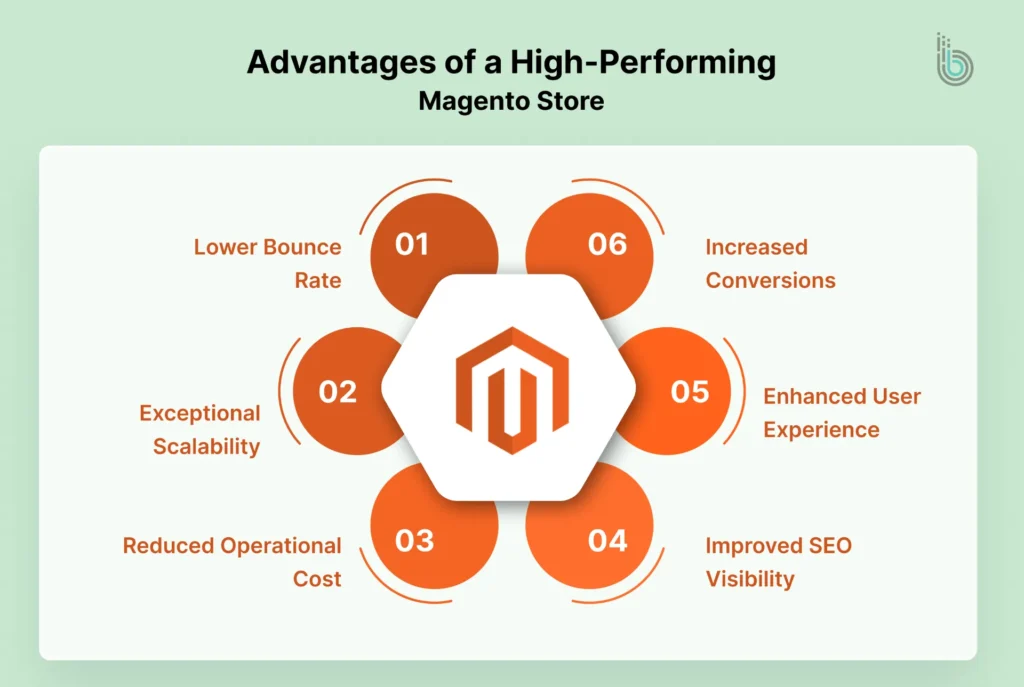
Apart from conversions, a well-performing Magento store will help you gain excellent visibility in search engine results. Search engines like Google prioritize website speed and user experience, which helps ensure better indexing for your pages.
Magento speed optimization is not only your concern; many business owners face similar issues. However, with patience and consistent effort, you can achieve the best results. You can find other Magento store owners here, discussing their challenges and solutions:
Numerous factors can affect your Magento store’s performance. Some of the primary factors are server hosting, database optimization, frontend code, poor caching, and the number of active extensions.
Once you know what is causing the issue, you can easily troubleshoot. Here are some top tips you should consider for Magento performance optimization:
1. Upgrade Your Server and Hosting Infrastructure
The hosting environment is the base of any website or platform. It significantly affects your website’s performance. There are multiple types of hosting:
Shared Hosting: Many websites are hosted on a single server, sharing RAM and CPU. It’s an affordable option for personal blogs and small businesses. It might not suit eCommerce stores.
Dedicated Hosting: An entire physical server is rented or purchased to host a website. It’s a costly option but offers maximum performance, control, and security.
Virtual Private Server (VPS) Hosting: It’s a perfect combination of shared and dedicated hosting. A physical server is divided into multiple independent servers using virtualization technology. You get the cost-effectiveness of shared hosting, along with dedicated resources to manage your website.
Cloud Hosting: It’s a network of virtual and physical servers that distribute traffic and resources. If one server goes down, the others handle the load. It runs on a pay-as-you-go model, so you can increase your server space whenever you need more.
If you have a large user base, dedicated hosting is the best option for your store. And if you are just starting, VPS hosting is the right choice. Cloud hosting is also a good option for eCommerce stores with global customers.
Always ensure your server is up to date with the latest versions of PHP and MySQL. Magento 2 requires PHP 7.4 or later, so you may need to upgrade your current version. Also, consider implementing HTTP/2 to multiplex multiple requests over a single connection, reducing page load time.
2. Implement Caching Mechanisms
Caching is a useful technique to store frequently accessed data in memory, so content generation is not required for every request. This can reduce page load times by 50-60%.
Here are some different ways to enable caching:
Magento’s Built-In Caching Feature:
Magento’s Full Page Cache (FPC) stores entire HTML pages in memory. To enable it, go to System and then Cache Management. For high-traffic stores, Varnish Cache offers a reverse proxy that can handle thousands of requests per second from cache.
Redis for Backend Caching:
Redis is an in-memory data store for session management and caching. It stores frequently accessed data in RAM, improving Magento’s performance. You can configure Redis for default caching, page caching, and session storage.
Browser Caching:
Browser caching stores assets on users’ devices, so repeated visits get improved. To implement it, configure expiration headers in your .htaccess or nginx.conf file.
3. Use Content Delivery Networks (CDN)
A Content Delivery Network (CDN) sends your store’s static content across various global servers. Whenever customers visit your store, they will receive content from the nearest server. It reduces latency and improves performance.
To implement a content delivery network in Magento, follow these steps:
Go to Store > Configuration > General
In the “Web” tab, choose ideal URLs
In “Base URL for Static View Files”, enter the CDN location
In “Base URL for User Media Files”, enter the CDN location of JS files
Save configuration
4. Reduce File Sizes
Compressing files helps ensure faster data transfers, which in turn speeds up page load times. Here are some effective ways to do it:
Use GZIP Compression: For GZIP compression, add compression directives to your .htaccess or nginx.conf file. It applies to all text-based files, including CSS, HTML, JavaScript, and JSON.
Minification: Minification removes optional characters from the code, such as whitespace and line breaks. To do it, go to Store > Configuration > Advanced > Developer.
Bundling: Bundling merges multiple JavaScript files into a single file, reducing HTTP requests. Make sure to test everything after enabling bundling.
5. Optimize Images for Web Performance
Images typically account for 50-60% of a page’s size, making their optimization essential. Here are some top ways to optimize images:
Use WebP Format: WebP is an excellent format that reduces the file size by 20-30% when compared to JPEG and PNG.
Implement Lazy Loading: Lazy loading is a common method that delays loading images until users scroll to them. It significantly reduces initial page loading.
6. Optimize the Database
Database management is key to faster page load times and response times. So, set a monthly database cleanup schedule. Eliminate unnecessary log data and expired sessions. Go to System > Configuration > Advanced > System and use “MySQL Message Queue Cleanup” to set automatic cleaning schedules.
Real-time updates in index mode can slow down operations. Therefore, change the index mode from “Update on Save” to “Update on Schedule” using the following code:
bin/magento indexer:set-mode schedule
Flat tables are useful because they store product and category data in a single table, simplifying the database structure and speeding up queries. Go to Stores > Configuration > Catalog > Catalog > Storefront.
7. Check Magento Configuration Settings
Optimizing your Magento store’s configuration is also important to ensure it’s running correctly.
Here are some tricks that can help you with optimization:
Use Production Mode:
Enabling Production Mode will eliminate debugging and support optimizations. It will reduce the loading speed by 20-30% than the developer mode. First, check your current mode and if it’s not set on production, use this code:
bin/magento deploy:mode:set production
Disable Unnecessary Modules:
Check all installed modules in your store and identify any unnecessary or unused modules. Use this code to get a list of all the modules:
bin/magento module:status
Now, prepare a list of modules that need to be disabled. Disable them with this code:
bin/magento module:disable Module_Name
8. Review Code and Theme Performance
Your Magento store’s theme impacts the site speed, especially if you are using a custom one.
If you are using a pre-built theme, make sure it’s lightweight. Always use themes that reduce JavaScript dependencies and use optimized CSS code.
To use a custom theme, audit your code at multiple intervals. You can use Magento profiler to find issues:
SetEnv MAGE_PROFILER html
If there are any unused JavaScript or CSS files, remove them.
9. Utilize Elasticsearch
Elasticsearch is a widely used tool for search. It offers advanced features such as autocomplete and faceted search, delivering search results 5-10 times faster than MySQL.
To use it, go to Stores > Configuration > Catalog > Catalog > Catalog Search. Select your preferred version from “Search Engine”. Add your server details, ensure the connection is stable, implement the changes, and test everything in one go.
Optimizing your store’s checkout flow is crucial to ensuring higher conversion rates. A study revealed that a better checkout design can help eCommerce brands achieve over 30% growth in conversion rate.
Follow these strategies to optimize your checkout process:
Implement Guest Checkout and One-Click Checkout:
Many users abandon their carts when prompted to sign in. So, offering a guest checkout will reduce friction and make it easier for first-time buyers to shop.
To make the checkout process more frictionless, implement one-click checkout. It stores customer information and allows users to make purchases with minimal effort. The primary goal of one-click checkout is to provide shoppers with maximum convenience, leading to customer satisfaction.
Optimize Payment Methods:
Take a review of payment methods and their usage. Disable unused items to avoid adding unnecessary weight to the checkout page.
11. Perform Regular Updates
Every Magento update brings performance and security improvements. So, regular maintenance and timely checkups are necessary to keep your store running smoothly. Just ensure to take a backup before performing any updates.
Make a habit of auditing third-party extensions every quarter. If any extensions are no longer supported or have not been updated for a long time, consider replacing them.
12. Optimize Third-Party Integrations
Third-party integrations can enhance your Magento store’s features, but they can leave a heavy impact on performance if not optimized properly. You can use monitoring tools like New Relic to check if there are issues in third-party integrations.
Configure your store to load scripts asynchronously with Google Tag Manager. This will eliminate unnecessary scripts from loading on each page. Also, use caching for API responses. Set specific timeouts to stop third-party services from impacting your store’s speed.
For efficient and error-free integrations with third-party tools, it’s advised to work with a professional. Our Magento integration services can help you extend your store capabilities with seamless integrations.
Trust BrainSpate for Magento 2 Performance Optimization
Magento performance optimization is time-consuming, and many strategies require technical expertise. To save time and ensure the best results, it’s best to consult a Magento development services provider.
At BrainSpate, we are committed to helping eCommerce business owners get the most out of their investment. Our Magento developers have the right skills and passion to optimize stores and ensure the best user experience.
Speed up your Magento store without compromising functionality!
The poor performance of your Magento store will not only affect conversions but also search engine rankings. So, you might lose momentum on multiple channels. That’s why early detection and resolution of issues is necessary to keep your store operational.
Start your Magento performance audit today and take the necessary steps to prevent losing customers. The Magento speed optimization tips mentioned above will help improve your store’s performance and boost customer satisfaction. If you need professional assistance, we are always happy to help!
FAQs
1. Is Magento still relevant?
Yes, Magento (now Adobe Commerce) is among the most popular and actively used eCommerce platforms. It’s useful for large-scale businesses with complex operations.
2. How can I make Magento faster?
You can perform several steps to improve your Magento store’s performance. Here are some useful steps:
Update to the latest Magento version
Optimize the hosting environment
Audit third-party extensions and integrations
Use performance-optimized themes
Minify CSS and JavaScript
Optimize images
3. Can extensions or modules affect Magento performance?
Yes, extensions and modules affect the Magento store’s performance. Poorly optimized extensions and modules can leave a negative impact and slow down the store.