In the past decade, we have seen customers’ buying preferences shift drastically from offline to online. A study revealed that the global eCommerce market is projected to reach $4.96 trillion in valuation by 2030.
Given this steady growth and huge market size, numerous brands have already entered, and many are planning to enter the eCommerce space. In this crowd of businesses, you need a strong eCommerce website to stand out. A well-built online store will not only attract consumers but also bring real sales.
If you are considering building an eCommerce store with a high ROI, you are in the right place. As an eCommerce website development service provider, we take this opportunity to walk you through the step-by-step process of creating an online storefront. We will also explore different platform options, tips for building a high-performing store, and key functionalities to consider. So, let’s get started!
What is eCommerce Website Development?
eCommerce website development is the process of creating an online store to showcase products and services to users worldwide. This online store allows users to interact and complete transactions when they want to make a purchase. eCommerce websites are important for businesses to enter the digital commerce industry. They are a bridge between online shoppers and the brands.
There are primarily two components of an eCommerce website:
Frontend: The design and features customers use to purchase products. This includes the website’s UI, layout, and graphics.
Backend: It’s the engine that handles all the operations, from order processing to data management.
Importance of eCommerce Website Development
When investing in eCommerce website development, you need to consider several factors to ensure your business’s success. So, a foolproof plan is necessary. Here are some major benefits of planning your website development:
Better UX: A well-thought-out website design will entice users and improve conversion rates.
Reduced Rework: Proper planning and wireframing of the website will limit the number of design changes, saving you time and cost.
Scalability & Easier Upgrades: A well-structured backend will make upgrading your website easier when needed.
High Performance: An organized custom build will eliminate unnecessary plugins and templates, ensuring optimal load speeds.
Functionalities to Consider in Your eCommerce Website
To ensure a unique eCommerce presence with high conversion rates, you need to be innovative and offer distinctive features. Browsing products and completing purchases should feel effortless. And for that, you need to consider your website’s features.
Here are some top functionalities you should consider:
Advanced Security
This is the most important aspect to consider for your online store. eCommerce fraud is on the rise. In 2024 alone, online payment fraud exceeded $40 billion. This creates a fear in customers about shopping online, so ensuring robust security is essential.
You must follow eCommerce cybersecurity best practices to protect customer data and build trust. Also, ensure compliance with data protection standards like GDPR and PCI DSS.
Engaging Checkout Process
Your eCommerce store should offer a simplified, engaging user experience. A strong checkout experience reduces cart abandonment and ensures secure payments.
To keep up with modern eCommerce brands, you can implement one-click checkout or create a digital wallet. You can also consider adding a guest checkout to offer convenience to customers while respecting their privacy.
Collections and Categories
The navigation of your store should be simple and easy to understand. Users should be able to quickly browse products, search for their preferred items, and add them to the cart.
To help the users with product browsing, you should organize all the items in different cohorts and collections. And if you operate in multiple eCommerce verticals, consider creating product categories.
Filters and Sorting
Filter and sorting options have become a must-have for online stores. No matter your product range and variants, filters and sorting options will help you scale more efficiently while offering shoppers browsing convenience.
This will allow customers to filter products based on their favorite brand, size, and price range. And it will help you personalize the user experience by remembering customers’ filter selections.
Mobile Responsiveness
Mobile shopping is dominating the eCommerce world and will continue to do so in the future as well. According to a study, the mobile commerce market is expected to reach a valuation of $5 trillion by 2034.
More than half of online shoppers make purchases through mobile devices. So, ensuring mobile responsiveness is no longer a “nice-to-have” thing. A non-responsive site can lead to higher bounce rates, cart abandonment, and lost revenue.
Make this your eCommerce mantra: Mobile Responsiveness = Revenue Growth.
Following is the informative discussion going on ecommerce mobile responsiveness on reddit.
Steps to Follow While Developing an eCommerce Website
Building an eCommerce website is not just about choosing a design and uploading products. It is a structured process. Each step plays an important role in ensuring your online store performs well and generates real revenue.
If you skip planning and jump directly into development, you may end up with a website that looks good but does not meet your business needs. So, let’s understand the key steps you should follow while developing your eCommerce website.
1. Business Goals and Requirements
Goals are the foundation of your eCommerce business. Divide your long-term vision into smaller, achievable goals to keep the momentum going. Ask yourself why you want to sell online. Is it to increase revenue, reach new customers, expand from offline to online, or enter a new market?
Your goals will decide what features your website needs. For example, a B2B store may need bulk pricing and custom accounts, while a retail brand may focus more on reviews and social sharing.
Also, define how you will measure success. Set clear targets for sales, traffic, and growth. When your goals are clear from the beginning, the development process becomes easier and more focused.
2. Select the Platform
Once your goals are clear, the next step is choosing the right eCommerce platform. This is the foundation of your online store. The platform you select will affect your website’s flexibility, cost, scalability, and overall performance.
There are different options to consider:
SaaS Platforms: These are ready-to-use solutions that allow you to launch quickly. They offer built-in features, hosting, and templates. They are ideal for startups and small to medium businesses. Some prime examples are Shopify, BigCommerce, and Wix.
Custom Development: This option involves building your store from scratch using frameworks and custom code. It offers full control and flexibility. It is suitable for businesses with complex requirements or long-term scaling plans.
Headless Solutions: A headless architecture separates the frontend from the backend. So, you can ensure the best scalability and easily sell across websites, mobile apps, and other channels.
The key is to choose a platform based on your current needs and future plans. Also, consider the total cost over the next few years.
3. Domain and Hosting Selection
After selecting the platform, the next step is choosing your domain name and hosting. These two elements build your store’s online identity and performance.
Your domain name should reflect your brand and be easy to remember. In most cases, using your business name works best. Keep it short, simple, and relevant. Avoid complicated spellings or long phrases, as they make it harder for customers to recall your website.
Next comes hosting. A reliable hosting provider ensures your website loads fast and stays available even during high traffic. Slow websites can lead to lost sales and poor user experience. So, choose a hosting service that can handle your expected traffic and support future growth. Explore different eCommerce hosting service providers and compare them based on features and pricing.
4. Visual Representation of Store/Website
Before jumping into the final design, you need to plan how your website will look and how customers will move through it. This step is about structure, not colors or graphics.
Start by mapping the customer journey. Think about how a visitor will land on your site and complete a purchase. A simple flow usually looks like:
If you serve different customer types, plan separate journeys because their needs will be different.
Next, create wireframes. These are basic sketches of key pages like the homepage, product listing, product detail page, and checkout. You can even start with pen and paper. The goal is to decide what goes where: search bar, filters, product images, and the “Add to Cart” button.
Keep navigation simple. Customers should be able to reach any product within two or three clicks. Avoid deep and confusing menus. Use clear categories and smart filters instead.
5. Development
Once planning and wireframing are complete, the actual development begins. This is where your eCommerce store starts taking real shape.
Development is divided into two main parts: frontend and backend. The frontend is what customers see and interact with. It includes product pages, images, buttons, a shopping cart, and a checkout flow. The backend works behind the scenes. It manages product listings, customer accounts, inventory, orders, and payments. It ensures everything runs properly and securely.
During this phase, you should also:
Integrate secure payment gateways with multiple payment options
Add SSL certificates and follow security best practices
Set up product and content management tools for easy updates
Test all features to ensure smooth performance
Frontend and backend must work together without errors. Proper coordination during development ensures your store is secure, fast, and ready for customers.
6. Integration of Payment and Shipping Systems
After development, the next important step is integrating payment and shipping systems. These systems ensure customers can complete purchases smoothly and receive their orders without delays.
Start by integrating a payment gateway in your eCommerce store. Customers today expect multiple payment options such as credit cards, digital wallets, and even Buy Now, Pay Later (BNPL). If you are selling internationally, make sure your payment gateway supports different currencies and regions.
Security is also critical here. Payment systems must be secure and fully tested to avoid failed transactions or data risks.
Next, integrate your shipping system. It should automatically calculate shipping costs, provide delivery estimates, and generate tracking details. Proper shipping integration helps avoid manual errors and improves customer satisfaction.
You should also connect an inventory management system to prevent overselling products. Real-time stock updates ensure customers only buy what is available.
7. Testing and QA
Before launching your eCommerce website, thorough testing is essential. Even small errors can affect user experience and lead to lost sales. Testing ensures everything works smoothly from day one.
Start with functional testing. Check product search, filters, cart functionality, checkout flow, and user accounts. Make sure all buttons, forms, and links are working properly.
Next, test your website on different browsers and devices. It should perform consistently on Chrome, Safari, Firefox, and Edge, across desktop and mobile.
Also, review your payment processing. Run small real transactions to confirm that payments are successful and that order confirmations are sent correctly.
Performance testing is equally important. Ensure the website loads quickly, images are optimized, and the system can handle high traffic. Finally, double-check inventory, tax settings, shipping charges, coupons, and product descriptions. Small mistakes here can create confusion for customers.
8. Launch of the Website/eStore
After completing development and testing, your website is ready to go live. However, launching an eCommerce store requires careful planning to avoid last-minute issues.
Here are the key steps to follow during launch:
Set up production hosting with SSL certificates, backups, and monitoring tools.
Configure the domain and DNS settings properly to avoid downtime.
Upload final product data, including pricing, descriptions, categories, and optimized images.
Test live payment transactions to ensure orders are processed correctly and confirmation emails are sent.
Verify inventory and tax settings to prevent order errors.
Train your team to manage orders, returns, and customer queries smoothly.
Once your store is live, shift focus to promotion:
Announce the launch on social media platforms.
Send email newsletters to existing contacts.
Run paid ads to attract initial traffic.
Offer limited-time discounts to encourage first purchases.
Also, closely monitor performance in the first few days. Track sales, traffic, and any technical errors so you can fix issues quickly. A well-organized launch ensures your eCommerce store starts strong and builds trust from the very beginning.
9. Optimization and Maintenance Support
Launching your eCommerce website is not the final step. To stay competitive and grow steadily, your store needs continuous optimization and regular maintenance.
Customer expectations keep changing. Competitors keep improving. So, your website must evolve too.
Update Security Systems: Install regular updates and patches to protect against new threats.
Use Data to Improve Conversions: Run A/B tests on product pages, checkout flow, and call-to-action buttons.
Improve Based on Customer Feedback: Add new features or simplify processes where users face issues.
Maintain Backups: Keep regular backups to prevent data loss.
Scale Hosting When Needed: Upgrade resources as traffic and sales increase.
Always make decisions based on real data. For example, if customers drop off at the shipping page, test solutions like free shipping thresholds or clearer pricing details earlier in the journey.
Various eCommerce Platforms and Solutions to Choose From
Now that you understand the complete development process, the next important decision is choosing the right eCommerce platform. The platform you select will directly impact your website’s performance, flexibility, cost, and future growth.
Let’s explore the different types of eCommerce platforms and solutions you can consider for your online store.
1. Shopify
Shopify is one of the most popular SaaS eCommerce platforms in the world. It is known for its simplicity and quick setup. As an all-in-one solution, it includes hosting, security, payment integration, and ready-made themes.
It is especially suitable for startups, small businesses, and brands that want to launch quickly without technical complexity.
Key Features:
Easy-to-use dashboard
Built-in payment and shipping tools
Mobile-friendly themes
App store with thousands of integrations
Built-in analytics and marketing tools
24/7 customer support
Pros:
Quick setup and low technical barrier
Large app ecosystem for extra features
Secure and PCI compliant
Reliable performance and uptime
Cons:
Extra transaction fees if not using Shopify Payments
Limited customization compared to open-source platforms
Basic B2B capabilities
May feel restrictive for large or complex businesses
Shopify works best for businesses that want speed, ease of use, and predictable costs.
2. Magento (Now Adobe Commerce)
Magento, now known as Adobe Commerce, is a powerful open-source eCommerce platform. It offers full control over the website’s code and functionality, making it highly customizable.
It is best suited for mid-sized to large businesses with complex requirements and long-term scaling plans.
Key Features:
Full access to source code
Advanced customization options
Multi-store management
Strong B2B functionality
Scalable architecture for large catalogs
Pros:
Complete flexibility and control
Suitable for large product catalogs
Supports multiple storefronts
Strong integration options
Cons:
Requires skilled developers
Higher setup and maintenance costs
Regular security updates must be managed manually
It can be complex for small businesses
Magento is ideal for enterprises that need deep customization and have a technical team to manage the platform.
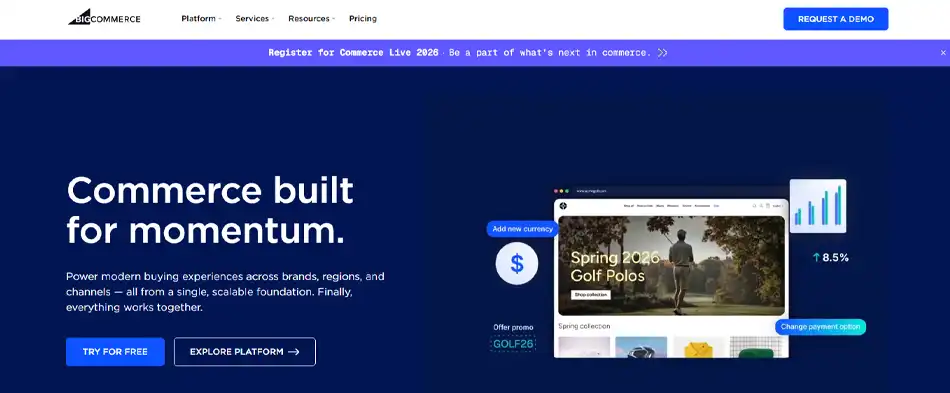
3. BigCommerce
BigCommerce is a powerful and scalable eCommerce platform designed for growing businesses. It offers strong built-in features, making it suitable for both B2C and B2B brands.
Unlike many platforms that rely heavily on third-party apps, BigCommerce provides many tools out of the box. This makes it a good choice for businesses planning long-term growth.
Key Features:
Built-in SEO and marketing tools
Multi-storefront capability
Strong B2B features
One-page optimized checkout
Multiple payment gateway integrations
High security and PCI compliance
Pros:
Scalable for growing businesses
Strong native features reduce app dependency
Supports multi-channel selling
Suitable for both B2C and B2B
Cons:
It can feel complex for small beginners
Limited theme selection
BigCommerce works well for businesses that want built-in power, scalability, and flexibility without fully custom development.
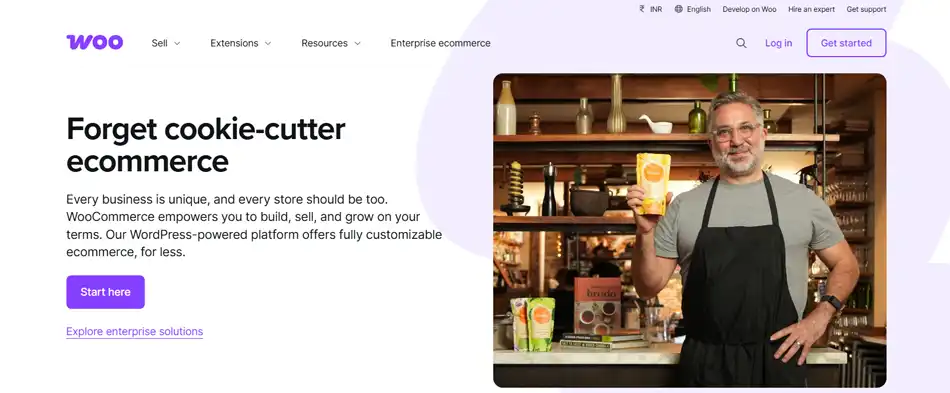
4. WooCommerce
WooCommerce is a popular WordPress platform that helps business owners turn their website into an eCommerce store.
It offers many helpful extensions to manage different eCommerce tasks such as marketing, payment processing, and shipping.
Key Features:
Mobile-friendly design
Extensive range of plugins
360-degree product reviewer
AI-powered product recommendations
Built-in analytics and reporting
Pros:
Free and open-source
Easy integration with WordPress sites
Active community of developers
No platform transaction fees
Cons:
Limited payment options
Lack of advanced eCommerce features
WooCommerce is suitable for businesses that need full customization, low-cost development, and complete control over their store.
Tips to Get the Most Out of Your Ecommerce Store
Now that your store is ready, you must be excited to see the sales kick off. But here are some important things to consider to ensure success:
Focus on SEO: SEO is your long-term partner to make your brand and products reach customers without paid ads. So, ensure your eCommerce website is SEO-friendly by running an eCommerce SEO audit. Look for a clear site architecture, create a sitemap, implement meta tags, and add product schema markups.
Optimize for Performance: Website load speed matters. A fast-loading store will improve both user experience and SEO rankings. Improve the eCommerce website performance by minimizing code, optimizing images, and utilizing caching.
Use High-Quality Visuals: Your site’s visual appearance will directly affect customer trust and their purchase decisions. Clear product images can guide consumers and build trust.
Showcase Customer Reviews: User reviews show the authenticity and credibility of the brand to the customers. So, encourage your customers to leave reviews of their favorite products and address negative reviews if any arise.
To stay competitive in the crowded online retail space, you must follow the latest trends and act immediately. Participate in eCommerce forum discussions, attend industry events, and subscribe to popular publications to keep yourself updated.
Why Can BrainSpate Be Your Perfect Development Partner?
Taking on an eCommerce website development journey will require a lot and bring many challenges. You need to make technical decisions, find platforms under budget, think of user experience, plan the launch, and handle marketing efforts. But why not focus on the core business operations and delegate these tasks to an expert?
BrainSpate is a trusted eCommerce website development comany. Our team of experienced developers follows industry best practices to ensure a fully functional online store and timely delivery. We handle it all, from initial planning and website design to launch and performance optimization.
We have partnered with a wide range of clients from diverse industries, so you can expect the best solutions for your business. You can review our portfolio to evaluate our capabilities.
Conclusion
eCommerce website development is a time-consuming yet exciting process to enter the digital commerce world. You will confront numerous challenges and learn a lot. No matter if you start with an eCommerce platform or a custom build, your tech stack will heavily influence your business success. So, make your choice wisely.
If you need professional help with store setup or optimization, we are here to help. Our developers create online stores that not only run but also grow with the business. Schedule a free consultation call, and let’s discuss your ecommerce idea!
FAQs
Q1. How much does it cost to develop an eCommerce website?
The cost of developing an eCommerce website will depend on your platform selection, business needs, and many other factors. For a basic site, the cost can go from $500 to $4000. Mid-size custom eCommerce stores will cost between $5,000 and $30,000. For enterprise-grade eCommerce brands, costs range from $50,000 to $100,000.
Q2. Can I build an eCommerce website on my own?
Yes, you can build an eCommerce website with the help of drag-and-drop website builders like Shopify and Squarespace. However, you may need to hire a professional for customization and performance optimization.
Q3. What are the 5 most profitable eCommerce niches?
There is no best or most profitable eCommerce niche. Selecting your business niche should depend on your area of expertise and market demand. In recent years, the demand for wellness products, pet products, sustainable products, home/office equipment, and fashion accessories has grown significantly.