
Quick Summary
- Shopify developers specialize in different areas, including themes, apps, integrations, migrations, Shopify Plus, and headless commerce.
- Hiring options include Shopify Partner Directory, Storetasker, freelancers, agencies, referrals, and direct outreach, depending on project needs.
- Live store reviews, technical questions, and paid test tasks provide stronger hiring signals than portfolios alone.
- Clear scope, store access, code ownership, Git repositories, IP rights, and support terms help reduce project and ownership risks.
Hiring Shopify developers starts with identifying the exact type of developer your store needs. “Shopify developer” can refer to several distinct roles, including theme development, custom Shopify development, app development, integrations, migrations, Shopify Plus development, and headless commerce. Then source candidates through the Shopify Partner Directory, Storetasker, referrals, or Shopify development agencies.
Choose the right developers based on live store URLs, relevant Shopify experience, and ability to handle your specific requirements; not just portfolios. You can also conduct a paid 4-8-hour assessment task drawn from your real backlog. Check whether they grant IP ownership, repository access, and staff account permissions before work starts.
Hiring the wrong specialists can lead to delays, unnecessary costs, or a solution that doesn’t fit your store’s requirements. The right developer depends on your project scope, technical needs, timeline, and level of customization. This guide defines the role, skills to screen for, where to hire, hiring costs, what to ask in interviews, what to include in the contract, and when hiring from an agency makes more sense. It also helps you identify when your requirements call for Shopify consulting rather than development alone.
What’s Changed in Shopify Development in 2026 (and Why It Affects Who You Hire)
Shopify development in 2026 has moved away from legacy Shopify Scripts and checkout.liquid toward Shopify Functions and Checkout Extensibility. Existing Scripts stopped running on June 30, 2026.
These changes affect who you hire. Developers handling discounts or checkout customization should understand Shopify’s current frameworks and workflow.
A useful screening question is: “How would you replace a Shopify Script handling custom discount logic?” Candidates who immediately suggest Shopify Functions are more likely to understand Shopify’s current development model.
Why Should You Hire A Shopify Developer?
You can set up and manage a Shopify store on your own, but growing and optimizing it becomes more challenging as your business scales. A Shopify developer brings the technical expertise needed for eCommerce development, helping you build, customize, and maintain a store that supports your long-term goals.
Here are some top reasons to hire a Shopify developer:
- Ensure High-Quality Output: A Shopify developer will bring technical expertise. You can expect a robust site architecture, engaging user experience, and error-free functionalities.
- Save Time: By getting professional help with website design and development, you can free up time for other tasks such as operations, sales, and customer service.
- Security & Scalability: Shopify experts will build a secure and scalable architecture for your site. So, you can ensure minimal downtime and a reliable security framework.
- Guidance: A trusted developer will not only build your store but also guide you in managing it. He/she will help you understand every functionality and handle store operations.
- Better ROI: A well-built store helps you avoid costly mistakes and make full use of Shopify’s offerings. While hiring a Shopify developer comes with a cost, the long-term impact will be worth it.
Where to Find The Right Shopify Developer
Where to hire Shopify developers depends on the project’s complexity, budget, and required specialization. No single hiring channel is consistently best for every Shopify project: the Shopify Partner Directory offers established agencies, while marketplaces work better for defined scopes and smaller jobs. Referrals can offer stronger context but may be harder to scale.
Most ‘best platform’ listicles are also written by companies that want their own platform to be the answer, so treat rankings as starting points, not proof of quality.
Finding the right Shopify developer starts with choosing the right hiring channel. Here are the most useful options, depending on your project, budget, and level of expertise.
1. Shopify Partner Directory
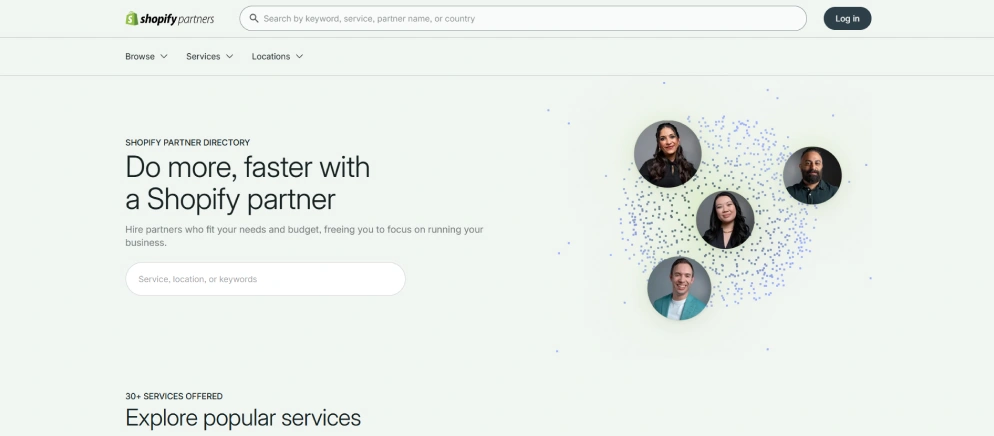
The Shopify Partner Directory is Shopify’s official platform for finding agencies and developers with Shopify experience. You can browse providers based on their services, location, and areas of expertise.
It is a strong option if you want to work with professionals who understand the Shopify ecosystem, especially for custom development, Shopify store migrations, and Shopify Plus projects.
2. Freelance Platforms
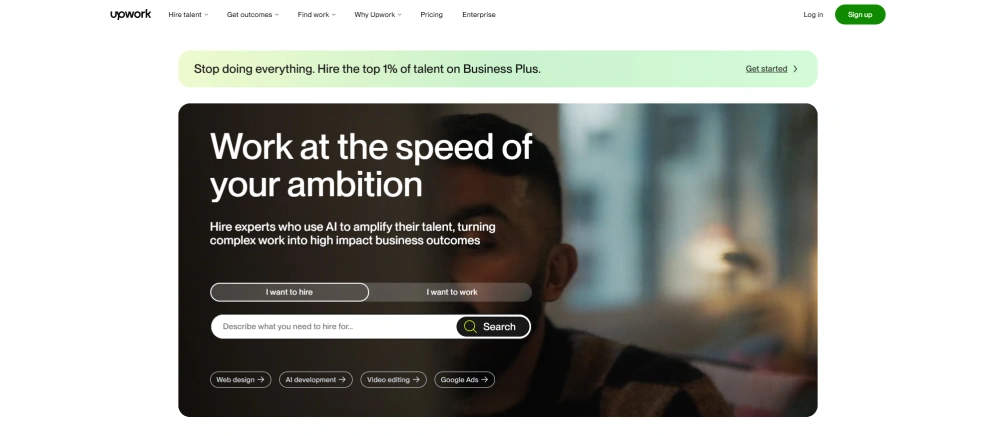
Platforms such as Upwork and Contra give you access to a large pool of Shopify developers. They can be useful when you need help with a specific task, a short-term project, or ongoing Shopify maintenance and support.
You can compare profiles, reviews, rates, and previous work before contacting a developer. However, make sure to check their Shopify-specific experience rather than relying only on general web development skills.
3. Shopify Development Agencies
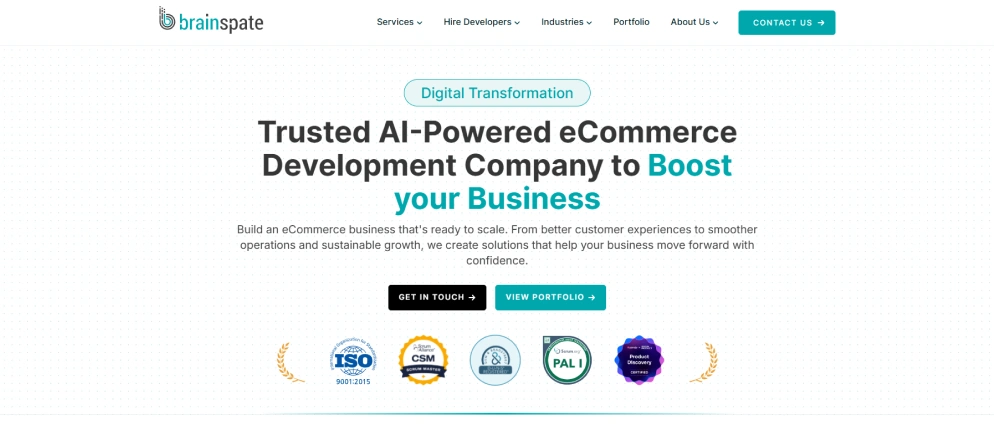
If you are working on a complex store, migration, custom functionality, or Shopify Plus development project, a specialized agency can provide a complete development team instead of relying on one freelancer.
Agencies such as BrainSpate can be a good option when you need broader Shopify expertise, ongoing support, or multiple skills under one team. This can also make project management easier when your requirements go beyond basic theme customization.
4. Referrals And Networking
Recommendations from other Shopify merchants, business owners, or people in your professional network can be a valuable way to find reliable developers.
A referral gives you more context about a developer’s communication, work quality, and reliability. Still, you should review their portfolio and technical experience before making a decision.
The hiring channel matters more than defining the right type of developer and testing the skills the project actually requires. A strong paid test can expose capabilities that a polished portfolio cannot.
BrainSpate Vs Shopify Agencies Vs Freelancers: Which Is Right For You?
When hiring a Shopify developer, price should not be the only factor. The hiring model you choose can affect development quality, communication, project continuity, and long-term support.
| Criteria | BrainSpate | Other Shopify Agencies | Freelance Shopify Developers |
|---|---|---|---|
| Onboarding time | 24 hours | 1–2 weeks | Days to weeks |
| Developer type | Full-time employees | Mix of contractors | Independent freelancers |
| Project manager | No cost on hiring team | Extra cost | No |
| IP ownership | 100% yours | Contract-dependent | Contract-dependent |
| Code review process | Peer code review | Varies by agency | Varies by developer |
| Developer replacement | Free, immediate | Slow, costly | Start over |
| Starting rate | $15/hr | $40/hr | $20/hr |
If you need a Shopify developer for a one-time task, a freelancer may be enough. But if you’re deciding between a freelancer vs. agency for a larger eCommerce project, factors like scalability, expertise, ongoing support, and long-term reliability matter. For businesses seeking a dependable partner for custom development, continuous improvements, and long-term store growth, BrainSpate offers the benefits of a dedicated Shopify development team with structured support.
Why Hire Shopify Developers From BrainSpate
BrainSpate is a Shopify development agency recognized by Clutch with the Global Summer Award for Shopify services in 2026. With a Shopify-focused team and proven experience, we help businesses build, optimize, and scale their stores with reliable technical expertise and structured delivery. If you are planning to hire Shopify developers, BrainSpate can help you find the right Shopify expertise for your project and provide the support needed to build and grow your store.
- 12+ Dedicated Shopify Developers
Our team works within the Shopify ecosystem, bringing focused expertise across theme development, custom functionality, integrations, migrations, and ongoing improvements.
- 40+ Shopify Projects Delivered
With 3+ years of industry experience, we have worked on Shopify projects across different requirements and levels of complexity.
- 98% Client Retention
Our long-term client relationships reflect our focus on dependable delivery, clear communication, and ongoing Shopify support.
- Flexible Engagement Models
Choose from project-based development, dedicated Shopify developers, or broader development support based on your scope and business needs.
- Structured Development Process
We begin by understanding your store, requirements, technical environment, access, dependencies, and deliverables before development starts. Testing and review are also built into the delivery process.
- Proven Client Satisfaction
BrainSpate maintains 5/5 ratings on both Clutch and Google, demonstrating our commitment to quality Shopify development and client experience.
How Much Does it Cost to Hire Shopify Developers from BrainSpate?
You can hire BrainSpate’s expert Shopify developers at $15 onwards per hour. The final rate depends on project complexity, engagement duration, and the developer’s experience.
For a detailed breakdown of Shopify developer cost/hourly rate, including hourly rates, project-based pricing, factors that affect the final quote, and potential additional costs, check the complete Shopify developer cost guide.
How to Evaluate a Shopify Developer Before You Hire
We evaluate Shopify developers by looking at their actual work before relying on interviews or portfolios. Live stores, code quality, performance decisions, and the candidate’s specific contribution reveal more than polished screenshots and PDFs. Here, our goal is to know what value the developers can actually deliver to our clients. Moreover, we recommend that our clients assign a small paid task from their actual backlog to check their technical capabilities. Here are the ways we recommend our clients evaluate our Shopify developers before hiring.
1. Ask For Live Store URLs, not Screenshots or a PDF Portfolio
Start the process by asking candidates for their live Shopify store URLs they can legitimately share. A screenshot or a portfolio document shows the finished interface but offers little evidence of how it was built. A live store lets them analyze implementation details, performance, responsive behavior, and the overall quality of the eCommerce website design.
2. Inspect the Theme Code
Look at the theme structure where it is publicly accessible and focus on how the storefront has been implemented. Well-structured sections, reusable blocks, sensible asset loading, and maintainable Liquid are stronger signals than a visually impressive homepage. Excessive inline scripts or unnecessary customization can indicate technical debt.
3. Run PageSpeed Insights on Their Recent Work
We use PageSpeed Insights as a conversation starter rather than a pass/fail test. So make sure our developer is able to explain why a store performs the way it does, which trade-offs were made, and what they would improve through Shopify speed optimization. This also ensures that they understand performance beyond simply optimizing images.
4. Ask What They Personally Built
Next, you should ask our Shopify developers to distinguish their individual contributions from the team’s work. “I worked on the front end” is a starting point, not an answer. You need to know which templates, sections, integrations, APIs, or custom functionalities they implemented and what technical decisions they personally made.
5. Check Reviews Outside the Channel that Introduced You
Then cross-verify the feedback of our Shopify developers across various sources, including Clutch, Google, LinkedIn, and others, rather than relying exclusively on our salesperson. We put a lot of effort into their communication skills, technical quality, post-launch support, and more rather than just asking the clients to adjust with the skills that the developer has.
6. Ask the Screening Questions
Ask screening questions, which are discussed in the next section, to know whether a candidate understands the technical decisions behind their previous work. The goal is not to catch candidates with obscure questions; it is to understand how they solved Shopify-related problems.
When we audit a store someone built, the tell is often not the front end; it is the number of apps still injecting scripts into the theme after their trials expired. That count can reveal more about the previous implementation than polished portfolio documents and screenshots.
Warning Signs to Walk Away From
These warning signs commonly appear when Shopify projects are handed over after implementation problems have already occurred. None is automatically disqualifying, but several together usually indicate delivery, security, or ownership issues that become increasingly difficult and expensive to fix.
1. Quotes a Price Before Asking About Scope
They give a firm price before even understanding the store, requirements, and deliverables you want from the developer’s or agency’s end rather than solving the actual issue.
2. Portfolio is Screenshots Only
Screenshots show visual output but offer less evidence of implementation quality. A developer with relevant work should usually be able to explain their contributions and provide live URLs to their work.
3. Wants Your Store Password Rather than a Staff or Collaborator Account
Sharing primary credentials creates unnecessary security and access-control risk. Developers should request staff or collaborator permissions and access, which can be revoked after they have successfully submitted the agreed deliverables.
4. Won’t Work in a Duplicated Theme
Making untested changes directly to a live theme can introduce storefront errors without a safe rollback. That’s why developers must work in a duplicated theme or appropriate development environment before pushing live.
5. Code Lives Only on Their Machine
If the project has no repository that you control, you may have no reliable way to recover the source code when the developer becomes unavailable. In a takeover project, discovering that the entire codebase exists only on a contractor’s machine can make recovery or reconstruction significantly more expensive.
6. Vague on IP Ownership
If the signed contract does not clearly specify who owns the custom code, private app source code, configuration, and other project deliverables, disagreements usually arise when the project ends or when another developer needs to take over.
7. Talks About Scripts As a Current Option
Shopify Scripts stopped executing on June 30, 2026. A developer recommending Scripts for new custom logic should be asked to explain their current approach to Shopify Functions before being trusted with a modern implementation.
8. Fixed Price on a Scope Nobody has Written Down
A fixed quote is only meaningful when deliverables, exclusions, assumptions, and acceptance criteria are documented. Otherwise, the project is likely to produce change requests, disputes, or unexpected costs.
Interview Questions That Actually Reveal Skill
An ideal Shopify developer interview question tests how a candidate approaches actual implementation decisions, not whether they can recite Shopify terminology. At BrainSpate, we recommend conducting practical technical questions and an assessment task based on our actual Shopify work.
Basic:
1. How would you add a custom field to a product and surface it on the PDP
An ideal answer mentions metafields and the use of dynamic sources in the theme editor. Hardcoding the value into a Liquid template is a weak approach because it makes the content harder to manage and reuse.
2. How do you customize a theme without losing the ability to update it?
The perfect answer covers using a duplicate or development theme, keeping customizations structured, using sections and blocks correctly, and avoiding unnecessary changes to Shopify base theme files.
3. When does logic belong in an app rather than the theme?
An ideal fit must distinguish presentation logic from functionality that needs persistent data, external services, APIs, webhooks, authentication, or server-side processing. Theme code shouldn’t become a substitute for Shopify app development when the requirements call for a separate application.
Experienced:
4. Admin API versus Storefront API: when do you use each?
A good answer should explain that the Admin API manages store resources and admin operations, while the Storefront API is designed for user-facing storefront experiences, including headless Shopify development. The candidate must also be familiar with the various authentication and access considerations.
5. How do webhooks work, and what happens when one fails?
An ideal answer must discuss event-driven notifications, receiving and validating webhook requests, idempotent processing, retries or failure handling, and monitoring. A candidate should not assume that receiving a webhook once guarantees successful processing.
6. How would you migrate 50,000 products without losing SEO?
The answer must cover data mapping, product and variant validation, URL structure, redirects, metadata, canonicalization, staged migration, testing, and post-launch monitoring. For an eCommerce migration of this size, the candidate should explain how they would validate the process before moving the complete catalog.
7. How do you handle Shopify API rate limits?
The answer must include throttling, request batching where appropriate, retry and backoff strategies, monitoring of API consumption, and the design of synchronization jobs to resume safely rather than repeatedly process the same records.
Advanced:
8. Scripts stopped running in June 2026. How do you build custom discount logic now?
Candidate’s answer must point to Shopify functions and explain how the required discount logic would be implemented within the current Shopify extension. A Shopify developer who proposes Shopify Script as the current solution has missed a major 2026 platform change.
9. How would you approach checkout customization under checkout extensibility?
The answer should focus on Shopify’s supported checkout extension model rather than relying completely on legacy checkout.liquid customization. The developer should identify which checkout needs to be solved and select an appropriate extension point.
10. How would you architect a Plus store across multiple markets and currencies?
Answer must address Shopify markets, localized pricing and currencies, catalog or product availability, domain and localization strategy, and how operational systems will handle market-specific data.
11. How do you prevent cart and inventory race conditions during a flash sale?
A good answer should discuss inventory synchronization, concurrency, idempotency, atomicity where applicable, reservation strategies, and failure handling. The important signal is whether the candidate recognizes that high-volume commerce requires more than simply checking inventory before checkout.
Conclusion
Hiring the right Shopify developer starts with finding someone whose skills match your store’s specific requirements. Look beyond portfolios and pricing by reviewing relevant experience, live projects, practical skills, and how clearly candidates explain their technical approach.
Before development begins, document the scope of work, store access, code ownership, intellectual property rights, and ongoing support terms. Taking these steps upfront can help you make a more informed hiring decision and avoid costly development, access, or ownership problems later.
FAQs
1. How to Hire Shopify Developers from BrainSpate?

Just share your project requirements with us, including the type of work you need, your budget, timeline, and any specific Shopify features or integrations you need. Our team will understand your requirements and suggest the right developer or team for the job.
To get started, send your requirements to sales@brainspate.com. We’ll get back to you to discuss the project, scope, timeline, and next steps.
2. Should I hire a freelancer or a Shopify agency?
A freelancer is usually appropriate for a defined, manageable task that can be owned by one person, while an agency is more suitable for complex builds, migrations, integrations, or projects requiring multiple specialists and continuity. BrainSpate is better positioned for projects that require structured development, QA, project management, and broader Shopify expertise.
3. What skills should a Shopify developer have?
A Shopify developer should have skills appropriate for the project, including Liquid, HTML, CSS, JavaScript, Shopify admin, Git, responsive implementation, and basic performance practices. Custom builds may additionally require GraphQL APIs, Storefront API, webhooks, metafields, metaobjects, Shopify CLI, and app development, while Plus projects can require Functions, Checkout Extensibility, B2B, Markets, Flow, and enterprise integrations.
4. How long does it take to hire and onboard a Shopify developer?
Hiring time depends on the role, sourcing channel, project complexity, and availability of suitable candidates. A straightforward freelancer engagement can start within days, while agency selection or an in-house hire generally takes longer. But BrainSpate’s Shopify expert developers can be onboarded within 24 hours once the engagement and requirements are ready.
5. Do I need a Shopify Plus developer, or will any Shopify developer do?
You need a Shopify Plus developer when the project depends on Plus-specific capabilities or advanced requirements such as B2B, complex checkout customization, Functions, sophisticated Markets configurations, or multi-store architecture. A standard theme developer may be fully capable for storefront work but should not automatically be expected to handle Plus-level architecture.
6. What is the Shopify Partner Directory, and are listed partners vetted?
The Shopify Partner Directory is Shopify’s directory for finding Shopify Partners and their services. Being listed should be treated as a starting point, not a guarantee that a particular partner is the right fit for your project. Evaluate relevant experience, live work, reviews, technical capability, scope, and communication before hiring.
7. Should I pay for a test task?
A practical test task should be paid for when it requires meaningful development time, particularly when it takes several hours or produces usable work. A good test should resemble a real project requirement rather than an arbitrary coding puzzle and should have a clearly defined time limit and evaluation criteria.
8. Who owns the code once the project ends?
Code ownership should be established explicitly in the contract before development begins. The agreement should identify ownership of custom code, private app source code, configuration, documentation, and other project deliverables, as well as the process for transferring repositories and access at the end of the engagement.
9. How do I give a developer access to my store safely?
Give a developer the minimum staff or collaborator permissions required for their work rather than sharing the store owner password. Development should occur in a duplicated theme or an appropriate development environment, and any unnecessary access should be revoked when the engagement ends.
10. What’s the difference between a Shopify theme developer and an app developer?
A Shopify theme developer primarily works on the storefront presentation and merchant-configurable theme experience using technologies such as Liquid, HTML, CSS, and JavaScript. An app developer builds functionality that requires application logic, APIs, persistent data, external integrations, webhooks, or other capabilities that should not be forced into theme code.
11. How do I hire a Shopify developer for multicurrency and localization?
To hire a Shopify developer for multicurrency and localization, look for experience with Shopify Markets, currency presentment and rounding, translated content, localized domains or subfolders, hreflang, and regional payment considerations. Ask candidates to show an international Shopify implementation they have shipped and explain how they handled localization, SEO, and market-specific purchasing requirements.
12. Can I hire a Shopify developer offshore?
Yes, you can hire an offshore Shopify developer from BrainSpate. Our Shopify developers can work with businesses across different locations and time zones, depending on the project requirements.
Whether you need a developer for theme customization, custom Shopify development, integrations, migration, Shopify Plus, or ongoing support, you can share your requirements with our team. We’ll help you find the right developer or team based on your project scope, skills, timeline, and budget.
13. What should I do if a developer disappears mid-project?
If a Shopify developer disappears mid-project, first secure store access, repository access, credentials, and recent backups before making major changes. Then have another developer audit the existing code, integrations, outstanding work, and deployment process before quoting remediation. But you never have to worry about such unprofessionalism when you are working with BrainSpate. Our developers never leave a project midway, and even if one does, we make sure to assign another developer with equivalent skills so your project is neither delayed nor affected in quality.
14. Do you work with agencies on a white-label basis?
Yes, BrainSpate can support agencies that need Shopify development capacity behind their client relationships, subject to the project scope and engagement requirements. A white-label arrangement will define communication ownership, client-facing responsibilities, repository and access control, IP ownership, confidentiality, delivery milestones, and who is responsible for post-launch support.
15. How to hire a Shopify developer for multicurrency and localization?
Hiring a Shopify developer for multicurrency and localization needs checking more than whether a developer has built an international storefront. Ask about Shopify markets configuration, currency presentation, and rounding, translated content and metafields, domain or subfolder strategy, and herflang implementation.
An ideal Shopify developer should also understand how regional payment methods and localized purchasing expectations affect the implementation. Common failure points include hreflang and canonical conflicts that prevent international pages from functioning correctly, currency rounding that produces unattractive local prices, and payment methods that do not align with regional expectations. Ask candidates to describe an international store they have actually built and the problems they solved after launch.
16. How to hire a Shopify developer for migration project?
Shopify migration risk is not limited to moving products, customers, orders, and other data; the greater SEO risk often lies in what happens to existing URLs. A migration quote that does not include URL mapping and a redirect strategy is incomplete.
Ask the developer to explain how they will map old URLs to their Shopify equivalents, identify pages that should not be redirected, test redirects before launch, and monitor errors afterward.
A specialist should be able to discuss keeping SEO as a part of the migration architecture rather than treating redirects as a final technical task.
Check the complete guide on how to migrate Shopify Script to Shopify Functions.
17. How to hire a Shopify developer to take over someone else's work?
Taking over a Shopify store after another developer has left requires an audit before a responsible developer can estimate the work. An ideal developer should first review the theme or codebase, repository access, custom apps, integrations, third-party scripts, API connections, deployment processes, technical debt, and known issues.
A developer who promises a firm solution without seeing the existing implementation is making assumptions about the codebase they have not examined. If you have already been burned by a previous developer, an audit-first approach gives you a clearer picture of what can be salvaged, what needs rebuilding, and what the next developer is actually taking responsibility for.