WooCommerce to Shopify Migration Services
If plugin issues, maintenance challenges, and growing store complexity are slowing your business, it’s time to move to a platform built for easier management. Our WooCommerce to Shopify migration services help you securely transfer products, customers, orders, and essential store data without disrupting your business operations. We protect your SEO, minimize downtime with careful migration planning, and ensure your Shopify store is fully tested before launch.







WooCommerce to Shopify Migration Services We Offer
WooCommerce stores often depend on plugins, extensions, and WordPress configurations. Our WooCommerce to Shopify migration services help you move your store data, rebuild essential functionality, and set up Shopify for long-term growth.

Store Analysis & Migration Planning
We review your WooCommerce setup, including plugins, custom features, and store requirements, to create a migration plan that fits your business needs.

Product & Inventory Migration
We transfer WooCommerce products, variations, attributes, categories, images, and inventory details while keeping your Shopify store organized and ready to sell.

Customer & Order Transfer
We migrate customer accounts, purchase history, addresses, and order details to Shopify while maintaining accurate records for your business.

Content & Media Migration
We migrate WordPress-based content, including pages, blog posts, FAQs, and media files, ensuring your valuable website information remains available.

WooCommerce Plugin Replacement
We identify important WooCommerce extensions and replace them with Shopify apps or custom solutions to maintain your store’s functionality.

Shopify SEO Setup
We migrate SEO details, configure URL redirects, and update sitemap settings to help maintain your existing visibility after moving to Shopify.
What We Migrate From WooCommerce to Shopify
Our WooCommerce to Shopify migration services securely transfer your essential store data, customer information, content, SEO assets, and business settings. We carefully move the data that can be migrated and rebuild WooCommerce-specific features using Shopify-compatible solutions.
Products
Product Information
 Product Title
- SKU
- Product Description
- Short Description
- Product Type
- Brand / Vendor
- Product Status
- Catalog Visibility
- Weight & Dimensions
- Barcode
- Country of Origin
- HS Codes
Product Variants
- Size
- Color
- Material
- Style
- Custom Options
- Variant SKU
- Variant Barcode
- Variant Weight
Product Media
- Featured Images
- Image Gallery
- Variant Images
- Image Alt Text
Product Attributes
- Custom Attributes
- Specifications
- Product Labels
- Attribute Groups
Why Businesses Trust BrainSpate for WooCommerce to Shopify Migration
BrainSpate brings years of hands-on experience with WooCommerce and WordPress to every migration. We take time to evaluate your plugins, custom functionality, and store setup before planning the move to Shopify. Our team combines migration expertise and proven Shopify development services to transform plugin-dependent WooCommerce stores into faster, easier-to-manage Shopify stores built for long-term growth.
 WooCommerce & WordPress migration specialists
 Plugin dependency migration expertise
 Custom field mapping & migration
 Shopify store architecture planning
 WordPress content migration expertise
 Shopify app implementation expertise
 Custom Shopify development capabilities
 Post-migration optimization & support



Benefits of Migrating from WooCommerce to Shopify
A well-executed WooCommerce to Shopify migration reduces plugin dependency while keeping your products, customers, and business data intact for a smooth transition.
Beyond transferring data, the right migration provides a more reliable storefront, reduced technical maintenance, and greater flexibility as your business grows. With Shopify managing hosting, updates, and security, you can focus on selling instead of maintaining your store.

Zero
Plugin Maintenance

Fully
Hosted Infrastructure

Faster
Store Performance

Automatic
Security Updates

Easier
Store Management

8,000+
Shopify Apps
The ROI of Migrating From WooCommerce to Shopify
A Shopify-powered store helps businesses reduce plugin dependencies, simplify daily operations, improve store flexibility, and create a stronger foundation for long-term eCommerce growth.

8–15%
Conversion Rate Lift

20–40%
Operating Cost Reduction

20–50%
Faster Page Load Times

12–18 Months
Average Payback Period

Replace WooCommerce Hassles With a Smarter Shopify Store
Get expert assistance to migrate your products, customers, content, and store functionality to Shopify with a migration approach tailored to your business.
Why Businesses are Migrating From WooCommerce to Shopify
Shopify offers a simpler commerce experience with managed infrastructure, easier operations, and a reliable ecosystem. Our WooCommerce to Shopify migration services help businesses move beyond plugin limitations and build a store that's easier to manage, scale, and grow.
| Factor |  |  |
|---|---|---|
| Plugin Load & Performance | Production stores commonly run 25–40 plugins to cover functionality gaps. Each plugin adds maintenance, compatibility, and performance risks. | Native features and a curated App Store reduce dependency stacking, resulting in more predictable performance. |
| Hosting & Server Management | Merchants are responsible for hosting, backups, updates, caching, and server optimization. | Fully hosted infrastructure with automatic scaling and maintenance. |
| Security | Security depends on the hosting provider and timely plugin/core updates. | PCI DSS compliant with managed security and automatic platform updates. |
| Maintenance | WordPress core, themes, plugins, and PHP versions require ongoing maintenance. | Shopify manages platform updates with minimal merchant involvement. |
| Performance Optimization | Requires caching plugins, CDN configuration, image optimization, and database maintenance. | Built-in CDN and optimized infrastructure provide consistent performance. |
| Plugin Compatibility | Plugin conflicts can occur after updates, requiring testing and troubleshooting. | Apps are reviewed and maintained within Shopify's ecosystem. |
| Scalability | Large stores often require server upgrades and database optimization. | Automatically scales to handle high traffic and order volumes. |
| Total Cost of Ownership | Hosting, premium plugins, maintenance, and developer support can significantly increase costs. | Predictable subscription pricing with lower infrastructure overhead. |
| Ease of Use | Flexible but requires WordPress knowledge for effective management. | User-friendly admin interface designed for merchants. |
| Support | Support is fragmented across hosting providers, theme developers, and plugin authors. | Centralized platform support backed by Shopify and its partner network. |
The Process Behind Every Successful Migration
Our WooCommerce to Shopify migration process helps businesses move their stores accurately with minimal disruption. From analyzing your WooCommerce setup to launching Shopify, we manage every stage with structured planning and technical expertise.
WooCommerce Store Audit & Discovery
We review your WooCommerce store, WordPress setup, plugins, custom features, products, integrations, and business requirements to define the migration scope.
Migration Planning & Data Mapping
Our team creates a migration roadmap by mapping WooCommerce products, variations, customers, orders, pages, and content with Shopify’s structure.
Shopify Store Setup & Configuration
We configure your Shopify store, set up themes, collections, navigation, payments, shipping settings, taxes, and required apps.
WooCommerce Data Migration
We securely migrate products, customers, orders, reviews, images, blog content, and other essential store data while maintaining accuracy.
Theme & Feature Migration
We rebuild your WooCommerce storefront on Shopify, recreating custom features and replacing WordPress plugins with suitable Shopify apps.
SEO Migration & Optimization
We preserve WooCommerce URLs, metadata, redirects, and other SEO elements to help maintain rankings and reduce traffic impact.
Testing & Quality Assurance
We validate migrated data, test checkout, payments, shipping, integrations, mobile responsiveness, and overall store performance before launch.
Store Launch & Final Synchronization
After completing final checks, we synchronize recent data, connect your domain, and verify all important Shopify store functions.
Post-Migration Support & Monitoring
After launch, we monitor your Shopify store, resolve migration-related issues, optimize performance, and provide ongoing technical support.
Explore More Shopify Migration Services
Planning a move to Shopify from a different eCommerce platform? Our Shopify migration services cover all major platforms, with tailored migration strategies that preserve your store data, protect your SEO, and ensure a smooth transition to Shopify. Explore our platform-specific migration services below.


No Matter Your Industry, We've Got You Covered
Every WooCommerce store has unique plugins, customizations, and business requirements. Our WooCommerce to Shopify migration experts understand these differences and create solutions tailored to each store.


Migration Stories That Inspire Confidence
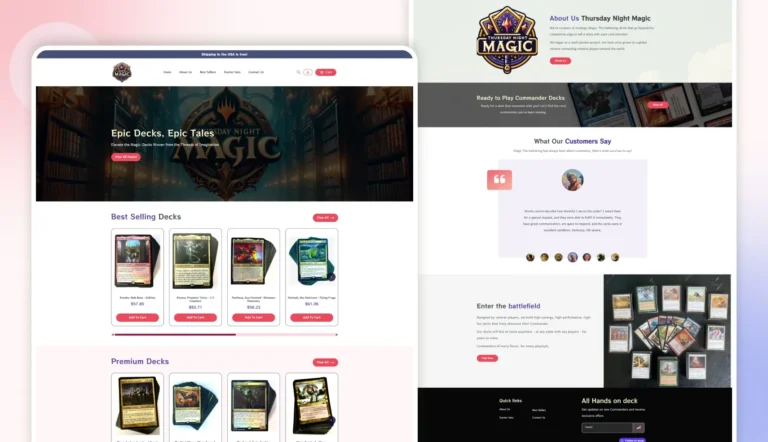
Explore how we help businesses move beyond WooCommerce limitations through strategic migrations, from plugin dependencies and custom features to improved Shopify store performance.


Find the Right Shopify Services for Your Business
Switching from WooCommerce to Shopify is only one step in your store's evolution. Find Shopify solutions for custom features, storefront design, integrations, app development, Plus implementations, and ongoing support.

Shopify Development & Support

Shopify Integration Services

Where Our Work Gets Talked About






The Verdict From People We've Worked With
Don't just take our word for it. Take a look at what our clients have to say about our eCommerce services.


A Smooth And Successful Collaboration
BrainSpate was a pleasure to work with. Their communication was excellent, they were open to feedback throughout the project, and they brought our creative vision to life on time. The collaboration was effortless, and the results exceeded our expectations.
Shehrish
Marketing Manager at Roof Tech

A Confident Marketplace Launch
Building our online jewelry marketplace would not have been possible without the support of BrainSpate's eCommerce experts. They helped define the right technology and core features, making the entire process smooth and reassuring from start to finish.
Raghav
Founder at BuyMyShine
Fresh Thinking From Our Desk



Got Questions? We've Got Answers
Got questions about switching from WooCommerce to Shopify? Get quick answers on data transfer, SEO, security, and everything else you need to know before making the move.
1. Should I switch from WooCommerce to Shopify?

Switching to Shopify can be a good choice if you want easier store management, greater reliability, and reduced dependence on plugins and hosting. Shopify provides a managed platform with built-in security, regular updates, and a large app ecosystem. The right choice depends on your store requirements, current challenges, and future growth plans.
2. Will my WooCommerce store go offline during the migration?

No, your WooCommerce store does not need to go offline during the migration. We can keep your existing store running while we prepare and migrate your data to Shopify. The final switch is planned carefully to minimize disruption and ensure a smooth transition.
3. How long does the migration take?
The migration timeline depends on your store size, data volume, custom features, and integrations. Smaller stores may take a few days, while larger stores with more complex requirements may take longer. We create a migration plan after reviewing your WooCommerce setup.
4. What are the different migration methods available?
We use different approaches based on your store needs, including automated migration tools, manual data transfer, and custom migration solutions. The method depends on your data structure, WooCommerce setup, and the features you need to move or rebuild.
5. Can customer passwords be migrated?
Customer passwords cannot be directly migrated from WooCommerce to Shopify because both platforms use different security systems. Customers will need to reset their passwords after migration. We help set up the process so the transition is simple for your customers.
6. Can I migrate product reviews?
Yes, product reviews can be migrated from WooCommerce to Shopify using suitable migration methods or review app solutions. We help transfer available review data and configure it properly on your new Shopify store.
7. How do I maintain my SEO rankings after switching?
We protect your SEO by maintaining your URL structure where possible, setting up 301 redirects, and transferring important SEO elements, such as meta titles and descriptions. We also test the new store to prevent broken links and ranking drops.
8. Can my store's design and theme be transferred?
WooCommerce themes cannot be transferred directly to Shopify because the platforms use different structures. However, we can recreate your design using Shopify themes or build a custom Shopify storefront that matches your brand experience.
9. Can customers' credit card data be moved?
No, customer credit card details cannot be migrated due to security and compliance restrictions. Your customers will need to enter their payment information again when placing orders through the new Shopify store.
10. How can I ensure data accuracy after the migration?
We validate migrated data by comparing important records between WooCommerce and Shopify. Our team checks products, customers, orders, URLs, and other critical information to ensure everything is transferred correctly before launch.
11. What if I receive new orders on WooCommerce during the migration?
New orders received during migration can be transferred through a recent data migration or delta migration process. We capture the latest updates before launch to ensure your Shopify store has the most accurate and complete data.