Shopify Klaviyo Integration
Connect Shopify and Klaviyo to create a unified customer data ecosystem that powers personalized campaigns, timely automations, and smarter retention strategies. From syncing customer and purchase data to triggering behavior-based journeys, BrainSpate makes your Shopify store and Klaviyo work seamlessly together to drive engagement and revenue.







What Data Can Be Synced Between Shopify and Klaviyo?
With our Klaviyo and Shopify integration service, your data actually drives revenue. Below is everything we bring together to power your campaigns.

Customer Profile and Segment Sync
We connect customer names, emails, phone numbers, and behavior data to Klaviyo, building accurate, ready-to-use segments for every campaign.

Event-Triggered Flows
We set up flows triggered by real actions, cart abandonment, product views, and checkouts, so your messages reach customers at the right moment.

Order and Purchase History Sync for Personalization
We sync complete order history to Klaviyo, powering personalized emails with past purchases, product recommendations, and repeat-buy reminders.

SMS and Email Consent Sync from Checkout
We sync checkout consent directly into Klaviyo, keeping your subscriber lists compliant and campaign-ready across email and SMS.

Revenue Attribution by Campaign/Flow
We link order data to specific campaigns and flows, giving you clear visibility into exactly how much revenue each one drives.

Back-in-Stock and Replenishment Triggers
We sync inventory data with Klaviyo, automatically notifying customers when products restock or when it’s time to reorder.
Why Choose BrainSpate for Shopify Klaviyo Integration
BrainSpate brings hands-on expertise in Klaviyo integration with Shopify, backed by years of experience as a Shopify development company. We understand how Shopify data behaves and how Klaviyo flows depend on it, so every integration is built for accuracy, not just connectivity. From setup to ongoing support, we make sure your data syncs correctly and your campaigns perform the way they should.


Let's Connect Your Shopify Store to Klaviyo
Talk to our experts and get your customer data, orders, and flows syncing correctly between Shopify and Klaviyo, built around your store's needs.
Why Integrate Klaviyo with Shopify?
Shopify runs your store, but it isn't built for advanced email and SMS marketing. Klaviyo fills that gap, turning customer actions like purchases, cart abandonment, and product views into usable marketing data. Once integrated, you can trigger messages based on customer behavior. Without this connection, campaigns run on assumptions. With it, every message is backed by actual customer data.
The Benefits of Klaviyo for Your Store
Once connected, Klaviyo turns your Shopify data into automated, revenue-driving marketing. Key benefits include:
- Automated Flows: Abandoned cart, browse abandonment, and win-back sequences trigger without manual work.
- Accurate Segmentation: Customer and order data keeps segments precise and up to date.
- Revenue Attribution: See exactly how much revenue each email or SMS flow generates.
- Better Deliverability: Clean, synced data improves inbox placement and campaign performance.
- Personalization at Scale: Purchase history and behavior power tailored product recommendations.
Klaviyo Integration Setup Steps
Setting up Klaviyo with Shopify involves more than clicking the connect button. Below is the full process, step by step.
Step 1: Install the Klaviyo App
Add the Klaviyo app from the Shopify App Store to your store. This creates the foundation for the integration and gives Klaviyo access to your store’s data.
Step 2: Authorize Permissions and Connect Your Store
Enter your store URL and approve the permissions Klaviyo requests, granting access to customer, order, and product data needed for syncing.
Step 3: Configure Shopify-to-Klaviyo Data Sync
Choose which data flows from Shopify into Klaviyo, customer profiles, order events, and product data, so your account has accurate, complete information to work with.
Step 4: Set Historical Data Backfill
Klaviyo pulls in your last 90 days of Shopify data first, then begins a full historical sync, giving your segments and flows real purchase history from day one.
Step 5: Select Your Subscriber Lists
Choose or create the lists that new Shopify customers and subscribers will be added to, keeping your audience organized before campaigns go live.
Step 6: Configure Bidirectional Consent and Profile Sync
Set up consent and subscription syncing so customer preferences remain aligned across Shopify and Klaviyo.
Step 7: Activate the Klaviyo App Embed
Turn on the Klaviyo app embed within your Shopify theme settings. This single toggle is what enables onsite tracking to function correctly.
Step 8: Enable Viewed Product and Behavioral Tracking
With the app embed active, Klaviyo automatically tracks product views and site activity, data that fuels browse abandonment and personalization flows.
Step 9: Enable Added-to-Cart Tracking
Turn on behavioral event tracking so Klaviyo captures cart activity separately from checkout activity, a distinction most abandoned cart flows depend on.
Step 10: Set Up and Publish Signup Forms
Create and publish Klaviyo signup forms on your store to capture new email and SMS subscribers directly from your Shopify site.
Step 11: Create Your Core Klaviyo Workflows
Build your essential flows, welcome series, abandoned cart, browse abandonment, and post-purchase, using the synced data to trigger each one accurately.
Step 12: Test the Complete Integration
Place test orders and browse your store as an identified visitor to confirm events, profile updates, and flow triggers are all firing correctly.
Step 13: Launch Your Flows and Campaigns
Once testing confirms everything works, activate your flows and campaigns, and begin monitoring performance and data accuracy going forward.
Configuring Data Sync Settings Between Klaviyo and Shopify
Klaviyo gives you control over exactly what syncs. Key settings to review:
- Profile Sync Scope: Sync all customers or only those already in Shopify
- Field-Level Sync: Choose which fields update automatically (name, email, phone, purchase history)
- Historical Data Handling: Decide how past data merges with existing profiles
- Consent Settings: Ensure subscription status stays accurate across both platforms
Misconfigured settings are one of the most common reasons flows misfire or segments hold outdated data.
Troubleshooting Common Klaviyo-Shopify Integration Issues
Even a properly installed integration can run into problems:
- Added to Cart events not firing: Usually because the visitor isn’t “identified” yet
- Duplicate customer profiles: Caused by inconsistent or misconfigured syncing
- Onsite tracking blocked: Often due to cookie consent banners blocking Klaviyo’s script
- Duplicate emails sending: Happens when an old ESP integration is left connected
Common Klaviyo-Shopify Integration Mistakes to Avoid
The most frequent mistakes we see:
- Skipping app embed activation, which silently disables tracking
- Confusing “Added to Cart” with “Started Checkout” and building only one flow
- Syncing all Klaviyo profiles into Shopify without reviewing the setting first
- Going live without testing behavioral events and flow triggers
How BrainSpate Helps with Shopify Klaviyo Integration
Getting every setting right, sync configuration, on-site tracking, consent handling isn’t always straightforward, and small missteps can quietly break your flows. BrainSpate handles the entire setup for you, correctly configured from the start, tested thoroughly, and monitored after launch, so your Shopify store and Klaviyo work together the way they’re supposed to.
The Shopify Klaviyo Integration Approach We Follow
We follow a structured, five-step process to do Klaviyo Shopify integration, covering data mapping, flow setup, testing, and monitoring, so your integration performs reliably from day one.
Discovery & Integration Planning
We review your Shopify store, Klaviyo account, customer data, apps, tracking, and existing marketing workflows to identify integration requirements and dependencies. The agreed scope, deliverables, and timelines are documented in a detailed SOW.
Data Mapping & Shopify-Klaviyo Setup
Customer profiles, product/catalog data, orders, subscriptions, marketing consent, events, and properties are mapped between both platforms. A project kick-off call aligns the teams before configuring permissions, synchronization, APIs, custom events, or Shopify Flow.
Tracking, Segmentation & Automation
We configure onsite tracking for events such as Viewed Product, Added to Cart, Checkout Started, and Placed Order. These data points support targeted segments and automated flows, including welcome, abandoned cart, post-purchase, and win-back journeys, with milestone demo calls for feedback.
Integration Testing & Validation
The complete data flow is tested across profiles, consent, products, events, orders, segments, and automated workflows. Structured QA, synchronization checks, and staging validation help resolve data inconsistencies before the final demo and production launch.
Launch & Ongoing Optimization
After deployment, we monitor data synchronization and automation performance. Ongoing support covers tracking, segmentation, flow optimization, and integration updates through monthly flexible maintenance or pay-as-you-go support.
Explore Other Shopify Integrations BrainSpate Offers
Beyond Klaviyo Shopify integration, your store likely needs to talk to other systems too. We do Shopify integration with essential business tools, keeping your sales, accounting, and inventory data accurate across every platform you use.


No Matter Your Industry, We've Got You Covered
Fashion, electronics, food, or jewelry, every industry runs on customer data. We build Shopify Klaviyo integrations tailored to your products, buying cycles, and customer behavior, whatever business you're in.


Integration Stories That Inspire Confidence
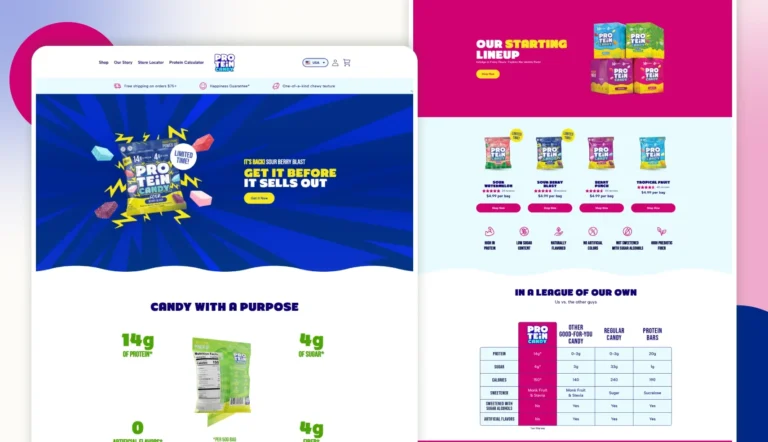
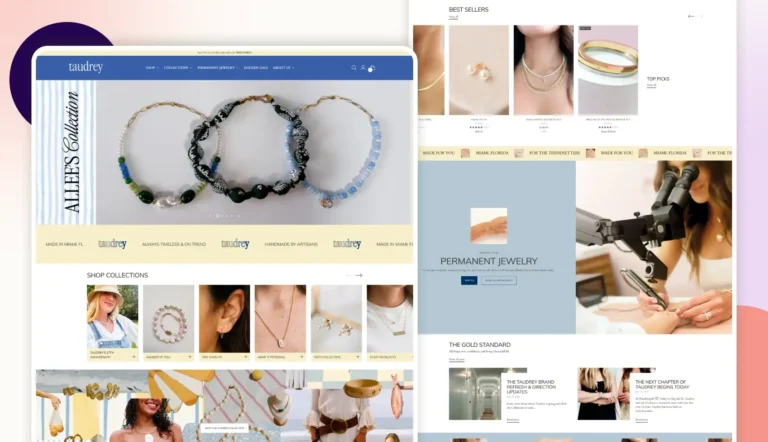
See how our Shopify Klaviyo integration work has helped real businesses solve data sync issues, improve flow accuracy, and turn customer data into measurable marketing results.

Find the Right Shopify Services for Your Business
Connecting Shopify with Klaviyo can strengthen how your store uses customer and purchase data. Find additional Shopify capabilities for custom development, theme experiences, app integrations, automation, Shopify Plus, and ongoing optimization.

Shopify Development & Support

Shopify Migration Services

Where Our Work Gets Talked About






The Verdict From People We've Worked With
Don't just take our word for it. Take a look at what our clients have to say about our eCommerce services.


A Smooth And Successful Collaboration
BrainSpate was a pleasure to work with. Their communication was excellent, they were open to feedback throughout the project, and they brought our creative vision to life on time. The collaboration was effortless, and the results exceeded our expectations.
Shehrish
Marketing Manager at Roof Tech

A Confident Marketplace Launch
Building our online jewelry marketplace would not have been possible without the support of BrainSpate's eCommerce experts. They helped define the right technology and core features, making the entire process smooth and reassuring from start to finish.
Raghav
Founder at BuyMyShine

Got Questions? We've Got Answers
Still unsure how Shopify and Klaviyo integration works for your store? Here are answers to the questions we hear most often from businesses exploring this service.
1. Can I use Klaviyo with Shopify?

Yes, Klaviyo integrates directly with Shopify to sync customer, order, and product data. We handle the full setup so your store and Klaviyo work together accurately from day one.
2. Can I add Klaviyo forms to my Shopify site?

Yes, Klaviyo signup forms can be added directly to your Shopify store. We set these up to capture emails and SMS consent without affecting your site’s speed or design.
3. How long does it take to integrate Klaviyo with Shopify?
Most integrations take one to two weeks, depending on your data complexity and the flows you need. We’ll give you a clear timeline after reviewing your requirements.
4. Can Klaviyo track customer behavior on my Shopify store?
Yes, Klaviyo can track product views, cart activity, and browsing behavior once onsite tracking is enabled. We configure this so your flows trigger on real customer actions.
5. Can I integrate multiple Shopify stores with one Klaviyo account?
Klaviyo currently supports one Shopify store per Klaviyo account. If you manage multiple Shopify stores, each store generally requires its own Klaviyo account. Klaviyo’s multi-account setup lets you manage multiple accounts using one login.
6. Does Klaviyo work with Shopify Plus?
Yes, Klaviyo fully supports Shopify Plus, including advanced automation and higher-volume data sync. We tailor the integration to match your store’s scale and requirements.
7. Where can I view my data syncs from Shopify to Klaviyo?
Synced data appears in your Klaviyo dashboard under customer profiles and activity feeds. We can walk you through exactly where to check sync status and data accuracy.