WordPress to Shopify Migration Services
Upgrade to a platform built for growth, not maintenance. We securely migrate your products, customers, orders, and SEO from WordPress to Shopify with minimal downtime. Launch a faster, more reliable Shopify store that’s fully tested and ready to scale from day one.







Our Full Range of WordPress to Shopify Migration Services
Moving from WordPress to Shopify involves more than transferring data. We carefully migrate your store, website content, SEO, and essential business features to build a Shopify store that’s ready to sell from day one.

End-to-End WordPress to Shopify Migration
We carefully plan and execute your WordPress to Shopify migration, ensuring your store, data, and business operations move to Shopify with minimal disruption.

Product Data Migration
Our team can migrate WordPress to Shopify by transferring products, categories, variants, attributes, images, inventory, and SKUs with complete accuracy.

Customer Data Migration
We securely migrate customer accounts, billing details, shipping information, and other essential customer records to keep your Shopify store ready for business.

Website Content Migration
We migrate blog posts from WordPress to Shopify, along with pages, media files, FAQs, and policy content while maintaining a well-organized website structure.

Plugin to Shopify App Migration
Our experts replace WordPress plugins with the right Shopify apps for payments, shipping, marketing, CRM integration, and other important business functions.

SEO Migration
We protect your search visibility with WordPress to Shopify URL redirect migration, metadata transfer, structured data, and XML sitemap configuration for a smooth transition.
What We Migrate From WordPress to Shopify
Our WordPress to Shopify migration services cover every important part of your website and online store. From WooCommerce data and blog content to SEO assets, media files, and store settings, we ensure everything that matters is transferred or rebuilt for a successful move to Shopify.
Products
Product Information
 Product Title
- SKU
- Product Description
- Short Description
- Product Type
- Brand / Vendor
- Product Status
- Product Visibility
- Weight & Dimensions
- Barcode
- Country of Origin
- HS Codes
Product Variants
- Size
- Color
- Material
- Style
- Custom Options
- Variant SKU
- Variant Barcode
- Variant Weight
Product Media
- Featured Images
- Image Gallery
- Variant Images
- Image Alt Text
Product Attributes
- Custom Attributes
- Specifications
- Product Labels
- Attribute Sets
Why Choose BrainSpate for WordPress to Shopify Migration
Different WordPress stores have their own setup, plugins, and content structure, so every migration needs a thoughtful approach. We carefully assess your website before moving it to Shopify, ensuring nothing important is overlooked. Backed by experienced developers and proven Shopify development services, we help you build a faster, easier-to-manage store that's ready to support your future growth.
 Experienced Shopify Migration Specialists
 Tailored Migration Strategy
 SEO-Focused Migration Approach
 Minimal Downtime During Migration
 Secure Data Migration Process
 Custom Shopify Development Expertise
 Comprehensive Quality Testing
 Dedicated Post-Migration Support



Benefits of Migrating from WordPress to Shopify
Moving from WordPress to Shopify gives your business a platform that’s easier to manage, more reliable, and built specifically for online selling without added complexity.
Instead of spending time managing plugins, updates, and technical issues, you can focus on growing your business. Shopify offers built-in commerce tools, better performance, and a flexible ecosystem that helps you deliver a smooth shopping experience while scaling with confidence.

Review
Website Content

Confirm
Store Functionality

Validate
SEO Setting

Test
Shopify Apps & Tools

Check
Theme & User Experience

Monitor
Performance & Analytics
The ROI of Migrating From WordPress to Shopify
Moving from WordPress to Shopify helps businesses simplify store operations, improve customer experience, and create a stronger foundation for long-term eCommerce growth.

8–14%
Conversion Rate Lift

15–30%
Operating Cost Reduction

20–40%
Faster Page Load Times

12–18 Months
Average Payback Period

Build Your Next Shopify Store With Confidence
Let our experts plan and execute your WordPress to Shopify migration with a secure process that keeps your business running smoothly from start to finish.
Why Businesses Are Migrating From WordPress to Shopify
WordPress is an excellent content management system, but running an online store often requires multiple plugins and ongoing maintenance. Our WordPress to Shopify migration services help businesses move to a dedicated eCommerce platform that brings store management, security, and commerce tools together in one place.
| Factor |  |  |
|---|---|---|
| eCommerce Readiness | Requires WooCommerce or additional plugins to build an online store. | Purpose-built eCommerce platform with essential commerce features built in. |
| Plugin Dependency | Business websites often rely on multiple plugins for forms, SEO, security, backups, caching, and other functionality. | Many core commerce features are built into the platform, reducing plugin dependency. |
| Hosting & Infrastructure | Website owners are responsible for hosting, backups, updates, and server performance. | Fully hosted platform with managed infrastructure, security, and maintenance. |
| Security Management | Security depends on hosting quality and keeping WordPress core, themes, and plugins up to date. | Shopify manages platform security, updates, and PCI compliance. |
| Website Maintenance | Regular updates are required for WordPress core, themes, and plugins to maintain compatibility and security. | Platform updates are automatic and managed by Shopify. |
| Performance Optimization | Site speed often depends on caching plugins, CDN configuration, image optimization, and hosting. | Optimized hosting infrastructure and built-in CDN provide consistent performance. |
| Commerce Features | Requires additional plugins to support payments, shipping, taxes, inventory, and order management. | Native tools for products, inventory, payments, shipping, taxes, and order management. |
| Scalability | Growing traffic or adding eCommerce functionality may require server upgrades and performance tuning. | Infrastructure automatically scales as the business grows. |
| Integrations | Plugin compatibility varies and may require ongoing maintenance after updates. | Large App Store with well-supported integrations for marketing, ERP, CRM, shipping, and accounting. |
| Business Growth | Better suited for content-focused websites unless extended with multiple plugins. | Designed specifically to support growing online businesses and omnichannel selling. |
The Process Behind Every Successful Migration
Our WordPress to Shopify migration services follow a structured process to move your website data safely and accurately. From reviewing your WordPress setup to launching your Shopify store, we manage every stage with careful planning and technical expertise.
WordPress Website Audit & Discovery
We evaluate your WordPress website, WooCommerce setup, plugins, themes, content, integrations, and business requirements to define the migration scope.
Migration Planning & Data Mapping
Our team creates a migration roadmap by mapping WordPress pages, blog content, products, customers, orders, and media with Shopify’s structure.
Shopify Store Setup & Configuration
We configure your Shopify store, set up themes, collections, navigation, payments, shipping settings, taxes, and required apps.
WordPress Data Migration
We securely migrate products, customers, orders, pages, blog posts, images, and other essential website data while maintaining accuracy.
Theme & Feature Migration
We rebuild your WordPress storefront experience on Shopify, recreating required functionality and replacing plugins with suitable Shopify apps.
SEO Migration & Optimization
We preserve important URLs, metadata, redirects, and other SEO elements to help maintain rankings and protect organic visibility.
Testing & Quality Assurance
We validate migrated content, test checkout, forms, integrations, mobile responsiveness, and overall store performance before launch.
Shopify Store Launch
After final checks and synchronization, we connect your domain, complete launch activities, and verify all critical Shopify store functions.
Post-Migration Support & Monitoring
After launch, we monitor your Shopify store, resolve migration issues, optimize performance, and provide ongoing technical assistance.
Other eCommerce Platform Migrations to Shopify
Our Shopify migration services are designed for businesses moving from different eCommerce platforms. We create migration plans based on each platform’s structure to ensure a smooth and reliable transition to Shopify.


No Matter Your Industry, We've Got You Covered
Every business uses WordPress differently based on its products, customers, and goals. Our WordPress to Shopify migration services are designed to meet your industry requirements and deliver a smooth transition to Shopify.


Migration Stories That Inspire Confidence
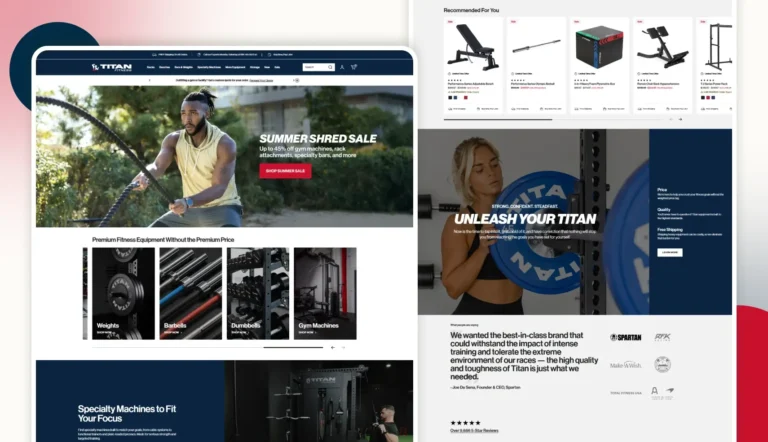
See how we've helped businesses successfully move from WordPress to Shopify by simplifying store management, protecting valuable data, and creating a stronger eCommerce foundation.


Find the Right Shopify Services for Your Business
Moving your commerce experience from WordPress to Shopify opens up new possibilities for your store. Discover services for Shopify development, custom themes, integrations, app development, headless commerce, and Shopify Plus.

Shopify Development & Support

Shopify Integration Services

The Names That Noticed Us






The Verdict From People We've Worked With
Don't just take our word for it. Take a look at what our clients have to say about our eCommerce services.


A Smooth And Successful Collaboration
BrainSpate was a pleasure to work with. Their communication was excellent, they were open to feedback throughout the project, and they brought our creative vision to life on time. The collaboration was effortless, and the results exceeded our expectations.
Shehrish
Marketing Manager at Roof Tech

A Confident Marketplace Launch
Building our online jewelry marketplace would not have been possible without the support of BrainSpate's eCommerce experts. They helped define the right technology and core features, making the entire process smooth and reassuring from start to finish.
Raghav
Founder at BuyMyShine
Fresh Thinking From Our Desk



Got Questions? We've Got Answers
Thinking about switching your WordPress store to Shopify? Get straightforward answers on moving your data, protecting your SEO, keeping your store secure, and everything else you need to know before you start.
1. Will my store go offline during the migration?

No. Your existing WordPress store stays live while we build and migrate your Shopify store in the background. Once everything is tested and approved, we schedule the final switch to minimize any disruption to your business.
2. How do I prevent SEO loss?

We follow SEO best practices throughout the migration, including metadata transfer, URL mapping, and 301 redirects. This helps preserve your existing search rankings and ensures visitors can still find your important pages.
3. Can customer passwords be migrated?
No. Customer passwords cannot be transferred because they are securely encrypted in WordPress. Customers will simply be asked to reset their passwords when they first log in to your new Shopify store.
4. Can I migrate multiple languages?
Yes. We can migrate multilingual content and help configure Shopify Markets or compatible language solutions based on your store’s requirements and target regions.
5. Can I migrate product variants and attributes?
Yes. We migrate product variants such as size and color, along with attributes, specifications, images, and other product details, while mapping them correctly in Shopify.
6. Will my SKUs transfer?
Yes. Existing SKUs are migrated along with your product data to help maintain inventory tracking, order management, and overall store consistency after the move.
7. Can I migrate product reviews?
Yes. Product reviews can be migrated to Shopify, depending on your current review system and the Shopify review app you choose to use after migration.
8. Can I transfer my WordPress theme and design?
WordPress themes cannot be moved directly to Shopify because both platforms use different technologies. We recreate your store’s design using a Shopify theme while keeping your branding and user experience consistent.
9. How long does the migration take?
The timeline depends on your store’s size, custom features, and data volume. Most migrations take anywhere from a few days to a few weeks after the migration plan is finalized.
10. Can I get a test environment?
Yes. We can set up a Shopify development or staging store where you can review the migrated data, design, and functionality before your new store goes live.
11. Is my data secure?
Yes. We protect your data throughout the migration using secure transfer methods, restricted access, and complete backups. Your information remains confidential at every stage of the process.
12. How do I check for accuracy?
Before launch, we thoroughly verify products, customers, orders, content, and key store functions. You can also review the migrated store yourself to confirm everything meets your expectations before going live.